



We recently received early access to Contentstack Studio, part of the Contentstack AXP suite. As we spent time exploring the platform, several interesting ideas around simplifying digital experience creation started to stand out.
Headless CMS platforms introduced significant flexibility through APIs and composable architectures. However, they often left the experience creation layer outside the platform. Designers worked in separate tools, developers manually stitched layouts together, and content teams relied on multiple environments simply to preview a page.
The result was flexibility without speed.
Contentstack Studio appears designed to close that gap.
By combining structured content, reusable components, and real-time visual composition, Studio brings experience building closer to where content already lives—without removing control from developers.
From what we observed during our early access, Studio helps reduce friction across the entire experience lifecycle, from component creation to publishing workflows.
In many ways, it introduces a missing composition layer back into composable architecture while still preserving developer workflows.
Here are a few areas that stood out while exploring Studio.
AI from Design to Code
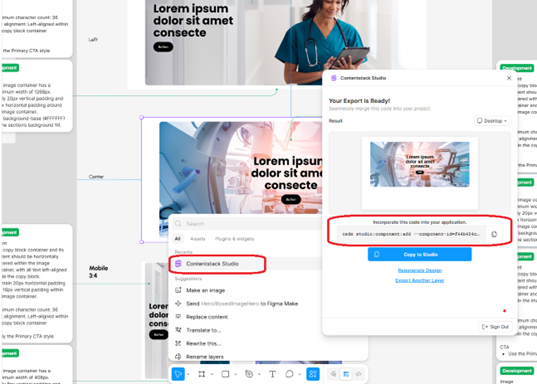
One of the most interesting capabilities we experienced was the GenAI-powered Figma integration.
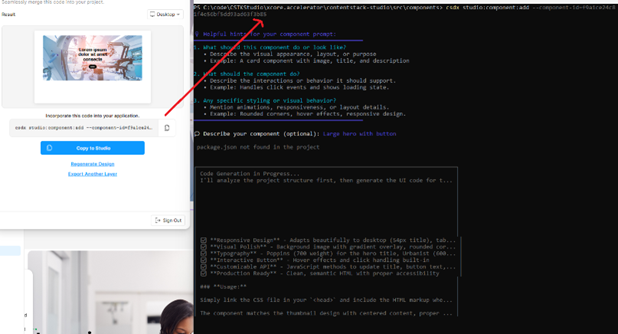
Designs exported from Figma can be converted into structured components quickly. The Studio CLI then integrates these components directly into projects, helping teams move from design approval to live composition much faster than traditional design-to-development handoffs.
In practice, this allowed us to:
- Export designs from Figma and see them converted into usable components within minutes.
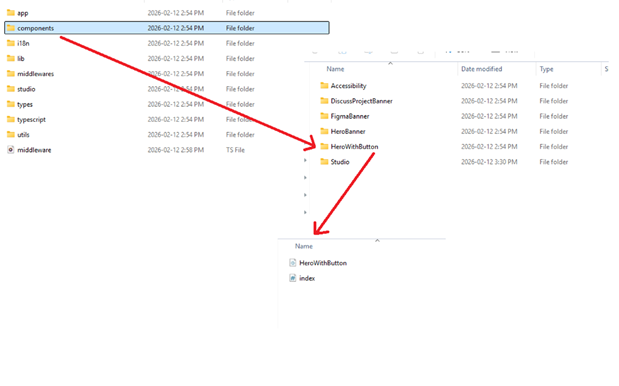
- Register new components instantly through the CLI without manual configuration.
- Start working with AI-generated schemas and layouts rather than building structures from scratch.
Instead of rebuilding layouts manually, teams can begin composing experiences almost immediately after design approval.
Visual Composition with Layer Control
Another capability that stood out was the visual composition experience.
Studio combines drag-and-drop page building with structured governance. This allows teams to assemble complex layouts visually while maintaining architectural consistency.
The layered workspace becomes especially useful as pages grow more complex.
In practice, this meant we could:
- Assemble pages instantly using registered modular components.
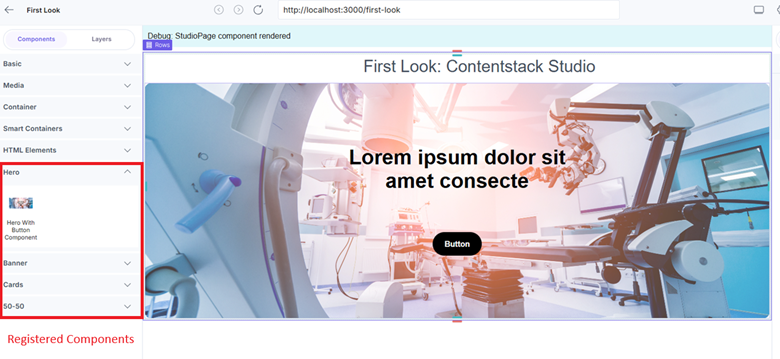
- Manage complex layouts more confidently using layer visibility and hierarchy controls.
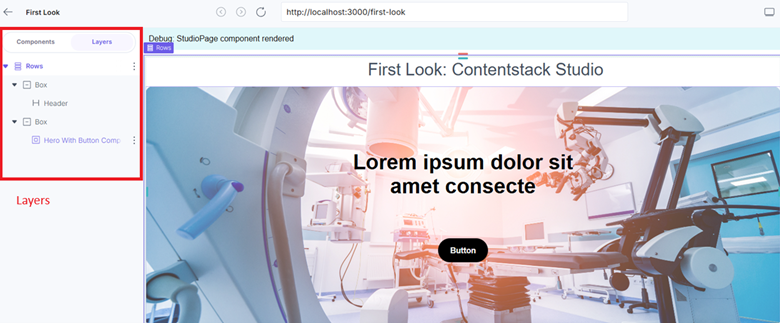
- Allow editors to work independently while maintaining clear separation between content and design.
The experience feels similar to working on a design canvas, but backed by structured content models.
Responsive Delivery at Speed
Previewing and publishing workflows also felt noticeably streamlined.
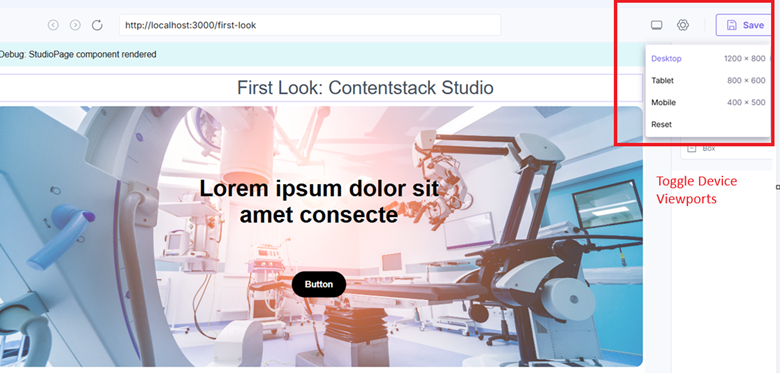
With instant viewport switching and simplified publishing flows, teams can validate experiences across devices and deploy updates with greater confidence.
In practice, this meant we could:
- Switch between device viewports to validate responsive layouts before publishing.
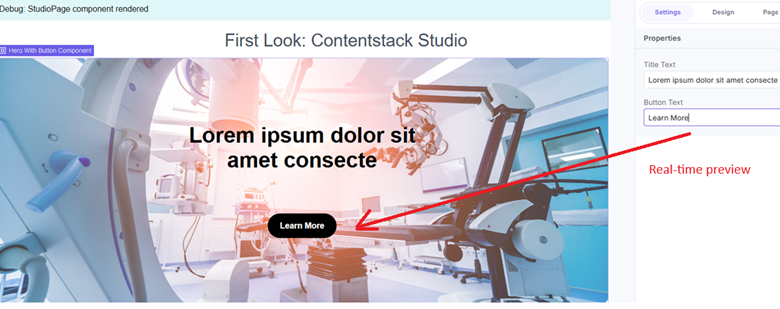
- Share real-time previews with stakeholders without needing multiple environments.
- Move from save to deploy to publish with fewer operational steps.
For teams managing frequent updates, these workflow improvements could remove significant operational overhead.
Final Thoughts
Digital experience creation is no longer just about managing content.
It’s about enabling collaboration, speed, and creativity at scale.
From our early access experience, Contentstack Studio feels like a meaningful step toward aligning those workflows within a single platform.
If composable architecture focused on flexibility, Studio appears focused on making that flexibility easier to use—and easier to scale.