



When migrating from Sitecore XP to XM Cloud, one of the features many developers miss is the ability to customize image rendering with focal points. In Sitecore XP, tools like Kate Orlova's Advanced Image module provided content editors with an intuitive interface to set focal points, ensuring images displayed perfectly across different aspect ratios and container sizes.
However, XM Cloud's architecture doesn't allow for the same level of backend customization. So how do we give content editors control over image focal points without compromising on functionality? In this post, I'll share the practical solution we implemented to bring focal point functionality to XM Cloud.
The Challenge
In Sitecore XP, the Advanced Image module allowed content editors to:
- Visually select a focal point on images
- Preview how images would crop at different sizes
- Ensure important image elements stayed visible across responsive layouts
XM Cloud's headless architecture and restricted customization options mean we can't simply install a module or customize the Content Editor. We needed a solution that would:
- Work within XM Cloud's constraints
- Provide an intuitive experience for content editors
- Integrate seamlessly with Next.js rendering
- Require minimal training for editors
The Solution: A Three-Part Approach
Our solution combines a standalone focal point picker tool, custom Sitecore fields, and Next.js component implementation. In this blog, I will talk about the first 2 parts.
Part 1: Creating Custom Fields for Focal Point Coordinates
For each image field that requires focal point functionality, we add two companion fields:
- {field name} CX - The X-axis coordinate (horizontal position)
- {field name} CY - The Y-axis coordinate (vertical position)
These fields store percentage values (0-100) that represent where the focal point sits on the image. For example, if your image field is called "Hero Image", you'd create:
- Hero Image CX
- Hero Image CY
Pro Tip: Add a help link on these fields pointing to your focal point picker tool so editors can easily access it when they need it.
Part 2: Building a Focal Point Picker Tool
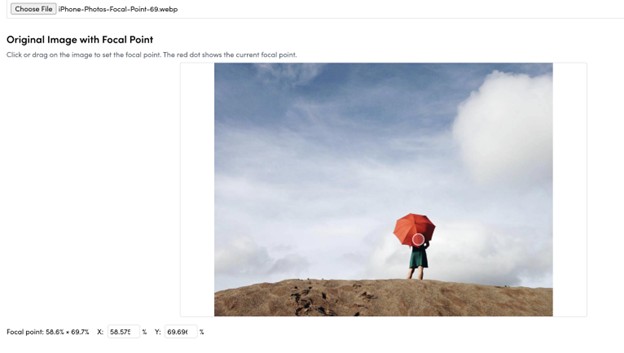
We created a standalone Next.js page that serves as a focal point picker. This tool allows content editors to:
- Upload an image
- Click or drag to set the focal point visually
- See real-time previews at different container sizes
- Get the exact CX and CY percentage values to enter into Sitecore
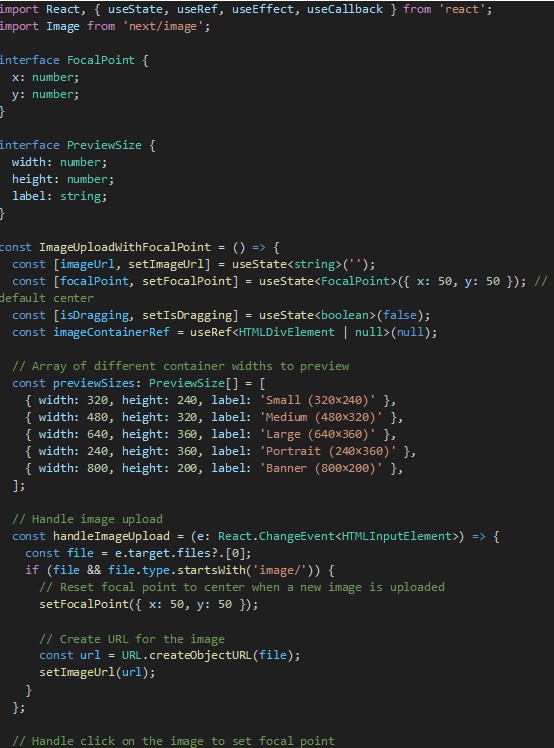
The tool is hosted as part of the Next.js application (or can be hosted separately) and provides an intuitive interface that requires no technical knowledge. Here's the core functionality:
The UI:
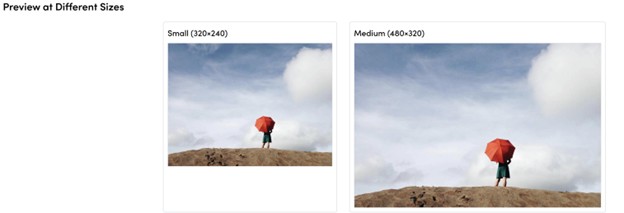
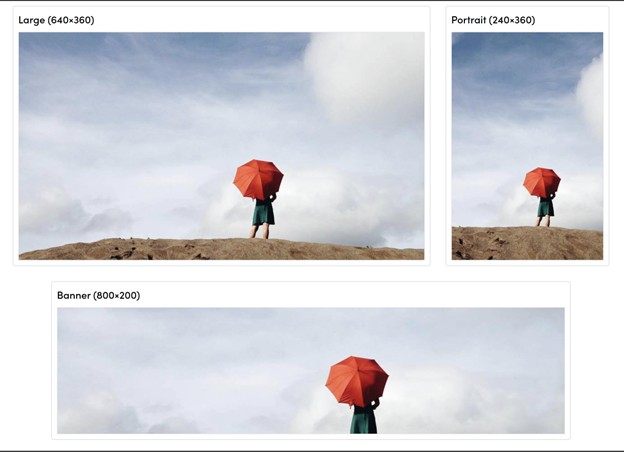
The tool provides:
- Visual Selection: Click or drag on the image to position the focal point
- Precise Input: Manual entry fields for exact percentage values
- Live Previews: See how the image crops at different sizes (mobile, tablet, desktop, banner formats)
- CSS Output: Generated code showing the exact object-position values
Stay Tuned
In the next part, we will talk about how the above mentioned React component ties together with Sitecore companion image fields and how they both work together to provide a streamlined user experience.