



Sitecore Marketplace is a central place where you discover and manage apps that extend your Sitecore digital experience platform. Developers build custom or public apps using Marketplace SDKs, and organizations install them to add new capabilities inside Sitecore tools like Cloud Portal and XM Cloud.
Custom apps are private solutions built for specific business needs, while public apps are reusable apps that will be available to all Sitecore customers. These apps integrate into Sitecore using extension points, allowing them to feel like native platform features.
In this blog post, I explain how to create a Sitecore Marketplace app that displays publishing details directly inside XM Cloud Page Builder.
What the Marketplace App Does
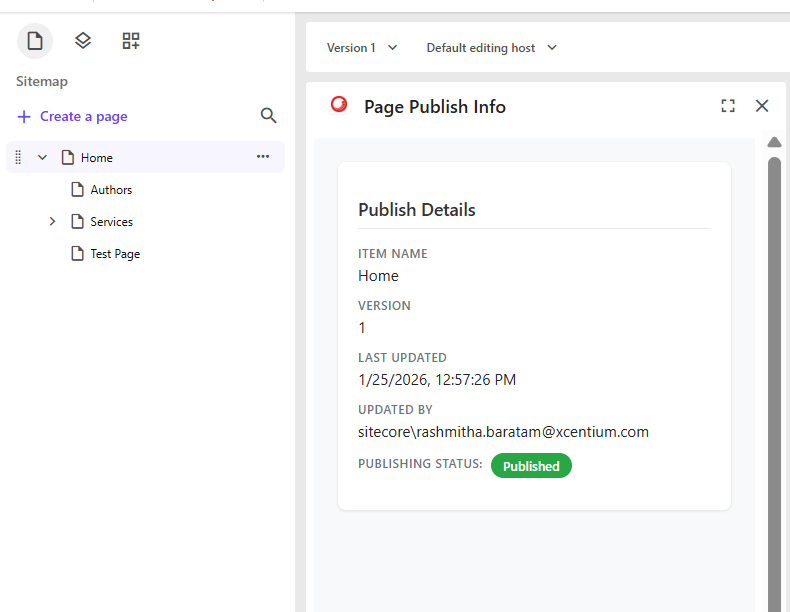
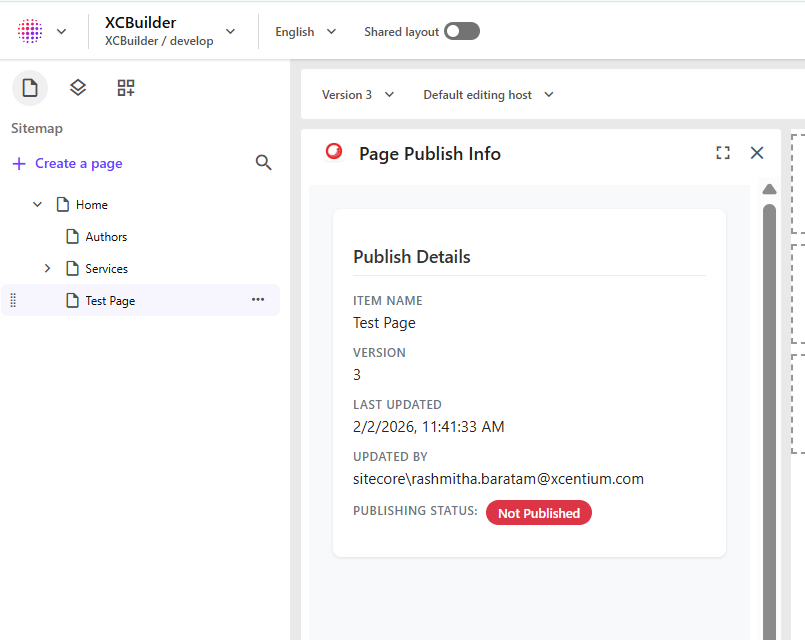
This Marketplace app displays publishing information for the current page in one place inside Page Builder. The app shows:
- Published version
- Last updated by
- Updated date
- Publishing status (published or not published)
The app checks the Master database and Experience Edge to determine whether the latest version is live or still pending publication. This helps content authors quickly understand the current content state without leaving Page Builder.
Prerequisites
Before starting, make sure the following requirements are met:
- Access to Sitecore Cloud Portal with developer permissions
- Development environment ready — Node.js 16+, npm 10+, and a code editor
- Basic knowledge of JavaScript/TypeScript, React, and modern web development
Creating the Marketplace App
- Log in to Sitecore Cloud Portal.
- Navigate to App Studio.
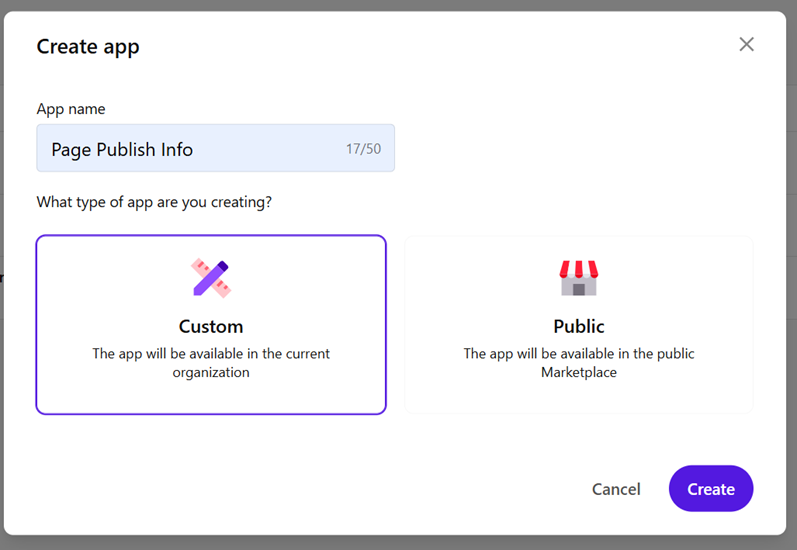
- Click Create App in the top-right corner.

Enter the app name as “Page Publish Info” and choose the app type.
- Select Custom App for this requirement.
Configure the Extension Point
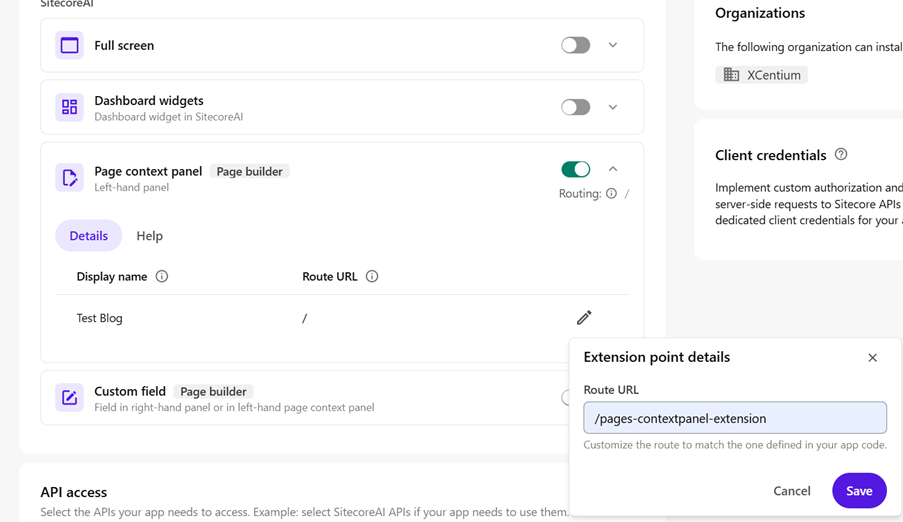
After creation, the app appears in the App Studio list. Configure the app using the appropriate extension point by selecting Pages Context Panel.
https://doc.sitecore.com/mp/en/developers/marketplace/extension-points.html
This extension was chosen to display data in a context panel on the left side of the canvas, and it is ideal for page-level settings and real-time analytics insights.
- Give the routing URL to: “/pages-contextpanel-extension”
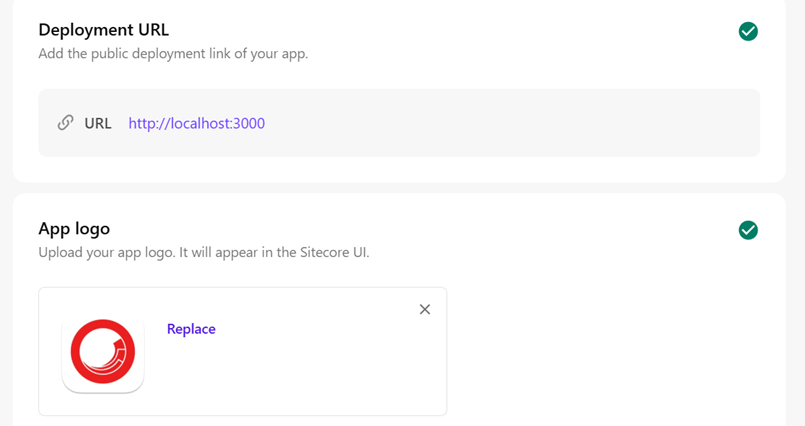
- Give the deployment URL as http://localhost:3000
- Give the app logo as https://cdn-1.webcatalog.io/catalog/sitecore/sitecore-icon.png?v=1731337318728
Activate and install the app
This configuration enables the app to appear inside the XM Cloud Page Builder context panel.
Set Up Your Development Project
- Clone the repository and run the project locally to build the Sitecore XM Cloud Publishing Status Marketplace extension.
- Download and clone my repository: https://github.com/XCentium/Sitecore-marketplace.git
- Run “npm install” in the terminal
Run “npm run” dev in the terminal
The solution contains a Page Builder sidebar extension and utility services that fetch publishing data using Sitecore APIs.

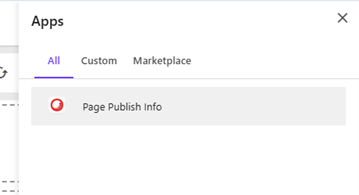
Click on the Jigsaw icon on the top right corner, to see the installed app on page builder

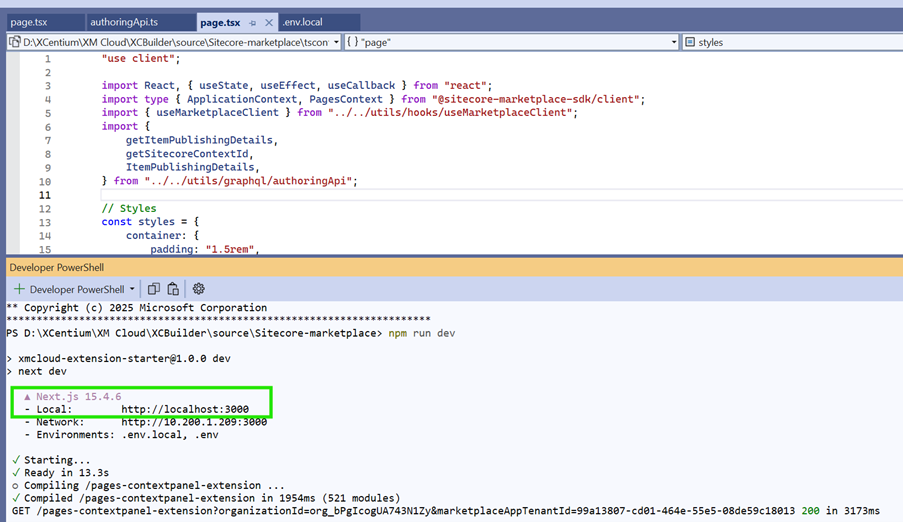
Item Publishing Extension Component (page.tsx)
This React component creates a sidebar extension for Sitecore Pages that displays real-time publishing information for content items. It uses the Sitecore Marketplace SDK to subscribe to page context changes, automatically detecting when editors switch between different content items or versions in the Page Builder. The component fetches item metadata (version number, last updated timestamp, updated by user) from the Sitecore Master database and displays it in a clean, card-based UI with visual badges indicating whether the current version is published to Experience Edge or not.
AuthoringApi.ts – Publishing Logic
This utility module handles all the GraphQL communication with both Sitecore's Authoring API and Experience Edge. The core function getItemPublishingDetails performs a two-step verification process: first, it queries the Master database to get the current item version's metadata, then it queries Experience Edge (the public-facing delivery API) to check what's actually published. Since Experience Edge does not expose version numbers directly, the code compares the __Updated timestamps from both databases. If the Master item’s timestamp is older than or equal to the Edge timestamp, the version is considered published. If the Master timestamp is newer, the version exists only in Master and has not been published yet.This approach accurately tracks publishing status across all versions, giving content editors instant visibility into what's live versus what's still in draft.
Key Technical Highlights
- Real-time Updates: Automatically refreshes when switching items/versions
- Dual-API Integration: Queries both Sitecore Master (authoring) and Edge (delivery)
- Smart Version Detection: Uses timestamp comparison since Edge doesn't expose version numbers
- Environment-Based Config: Edge API credentials managed via environment variables for security
Conclusion:
This Marketplace app shows how extension points and the Marketplace SDK extend XM Cloud Page Builder with custom functionality. It retrieves item details from the Master database and verifies publishing status using Experience Edge. Timestamp comparison helps identify whether a version is published or not published. The solution provides real-time publishing visibility directly inside the page builder.