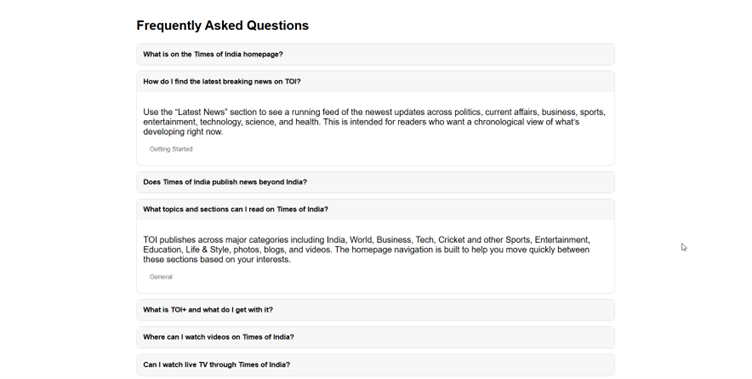



Creating effective FAQ content for a webpage is often more time-consuming than it should be. Marketers need questions that are genuinely relevant to the page, aligned with the brand, useful for users, and structured in a way that supports SEO. In practice, that usually means manual research, copywriting, formatting, and schema creation across multiple steps.
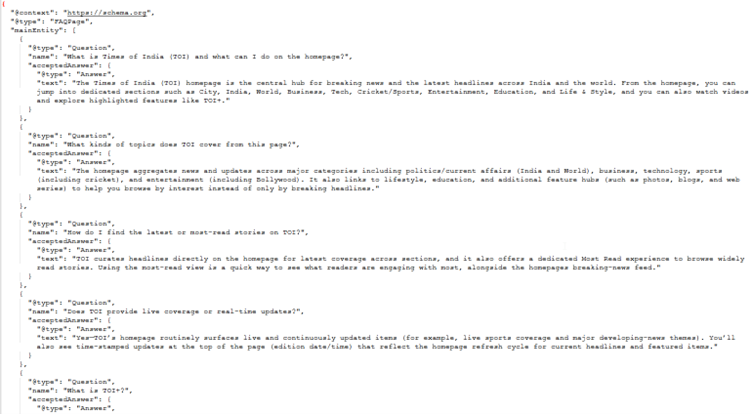
This AI Agent simplifies that process by automatically analysing the target page alongside broader domain context to generate a high-quality, SEO-optimized FAQ section. It produces both a ready-to-use HTML FAQ block for the page and a JSON-LD structured data snippet for search engines. This helps teams improve content clarity, strengthen organic visibility, and publish optimized FAQ content significantly faster.
How This Is Implemented Using Agentic Studio
In this implementation, we use Sitecore AI Agentic Studio to build an agent that accepts a page URL as input and generates an FAQ section. The agent also retrieves contextual information from the domain homepage to ensure the generated questions and answers align with the broader messaging and intent of the site.
- Create a new Agent from within Sitecore AI Agentic Studio.
- In the Overview tab, provide a meaningful name and description for the agent.
- Add an input of type Prompt that accepts the page URL.
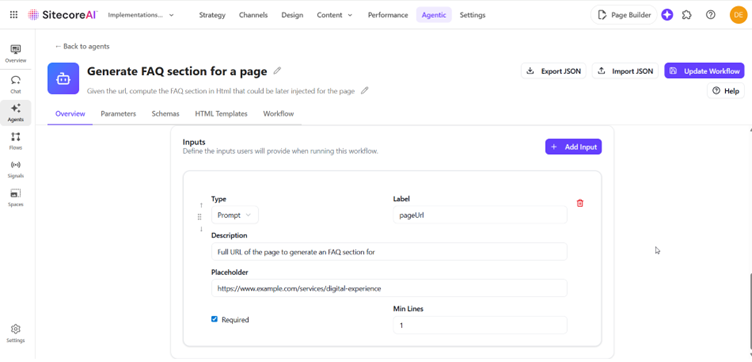
In the Schemas tab, define a schema that structures the FAQ output.
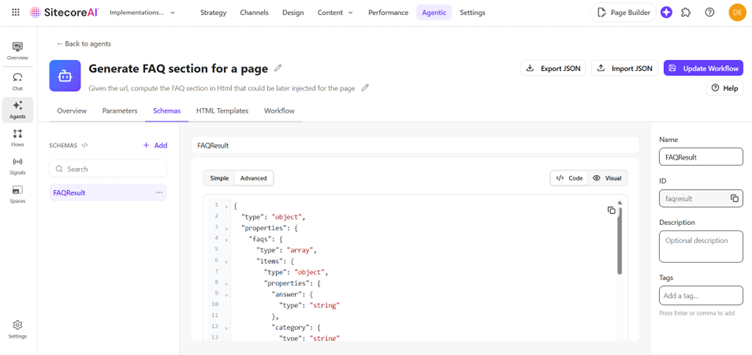
Navigate to the Workflow tab and create the workflow steps as shown below.
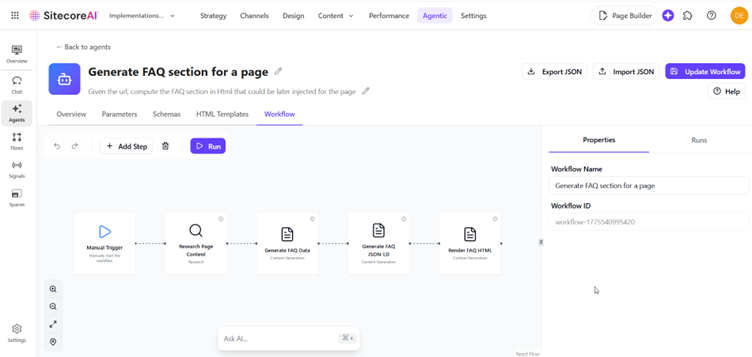
(a) Research Page Content: This step analyzes the provided page along with the domain homepage to understand the page context and generate relevant FAQ topics.
(b) Generate FAQ Data: Using the output from the research step, the agent generates a structured list of questions, answers, and dynamic categories based on the schema created earlier.
(c) Generate FAQ JSON-LD: This step produces JSON-LD structured data and schema markup that supports both traditional search engine optimization (SEO) and AI-driven answer experiences (AEO).
(d) Render FAQ HTML: This step generates the HTML markup for the FAQ section. The output uses an accordion-style layout for improved readability and easy integration into the target page.
Once the workflow is configured, you can test each step by clicking Run in the Workflow tab. After validating the results, you can trigger the agent from Spaces in Agentic Studio. The output can then be downloaded as both a formatted HTML FAQ section and a JSON-LD structured data snippet ready for implementation.
Example Schema Used for FAQ Generation
Below is an example of the schema used by the agent to structure the generated FAQ content.
{
  "type": "object",
  "properties": {
    "faqs": {
      "type": "array",
      "items": {
        "type": "object",
        "properties": {
          "answer": { "type": "string" },
          "category": { "type": "string" },
          "question": { "type": "string" }
        },
        "required": ["answer","category","question"],
        "additionalProperties": false
      }
    },
    "pageUrl": { "type": "string" },
    "pageTitle": { "type": "string" },
    "pageTopicSummary": { "type": "string" },
    "domainDescription": { "type": "string" }
  },
  "required": ["faqs","pageUrl","pageTitle","pageTopicSummary","domainDescription"],
  "additionalProperties": false
}