



Sitecore Experience Edge has become an important part of modern Sitecore XM Cloud and headless Sitecore implementations. It delivers published content through fast, cached GraphQL APIs. Webhooks help the rest of the application know when something has changed.
A publish may have completed, an item may have been updated, or a downstream system may need to rebuild a page, clear its CDN cache, or start another process.
While the Experience Edge Admin API provides everything needed to manage webhooks, working with it regularly has not always been convenient. Developers often rely on Postman collections, manually written cURL commands, or scripts created long ago that nobody wants to modify.
There has not been a simple visual interface to see which webhooks are registered, whether they are enabled, when they last ran, or whether the execution was successful. Marketers usually do not work with them, and even developers tend to avoid touching them unless necessary.
Edge Webhook Manager, a Sitecore Marketplace app from XCentium, is designed to solve this problem. It brings Experience Edge webhook management directly into Sitecore through a visual, searchable, and sortable interface.
There is no need to use Postman, remember cURL commands, or depend on knowledge held by only one person on the team.
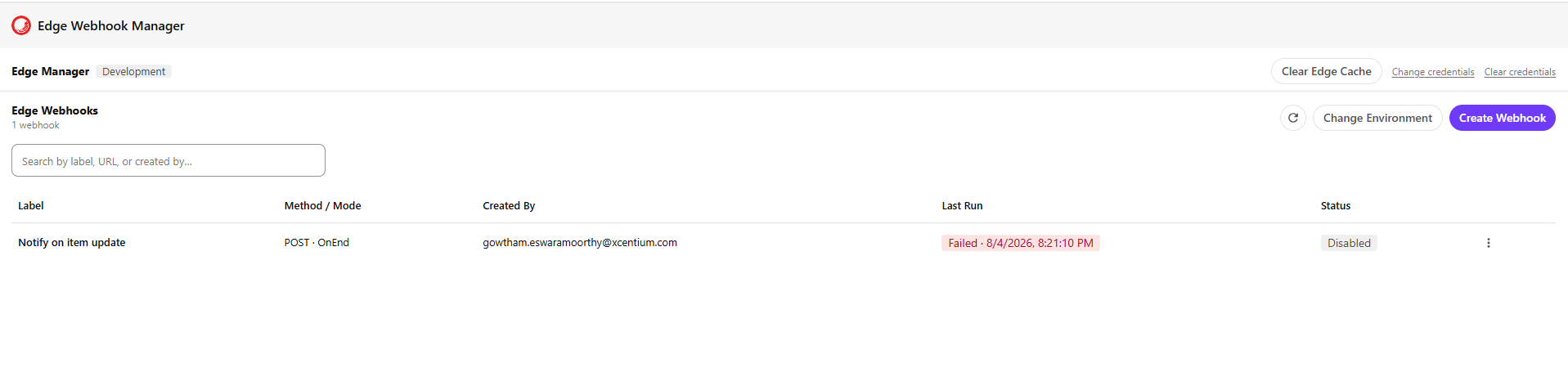
What Edge Webhook Manager Does
Edge Webhook Manager provides a complete user interface for working with the Sitecore Experience Edge Admin API. Once the connection is configured, you can:
- View all webhooks registered in the selected Edge environment, including the label, HTTP method, execution mode, creator, last run time, and execution status.
- Create and edit webhooks without manually preparing raw JSON.
- Use the built-in JSON formatter to keep request payloads clean and readable.
- Add custom headers with duplicate key validation, preventing multiple headers from being created with the same name.
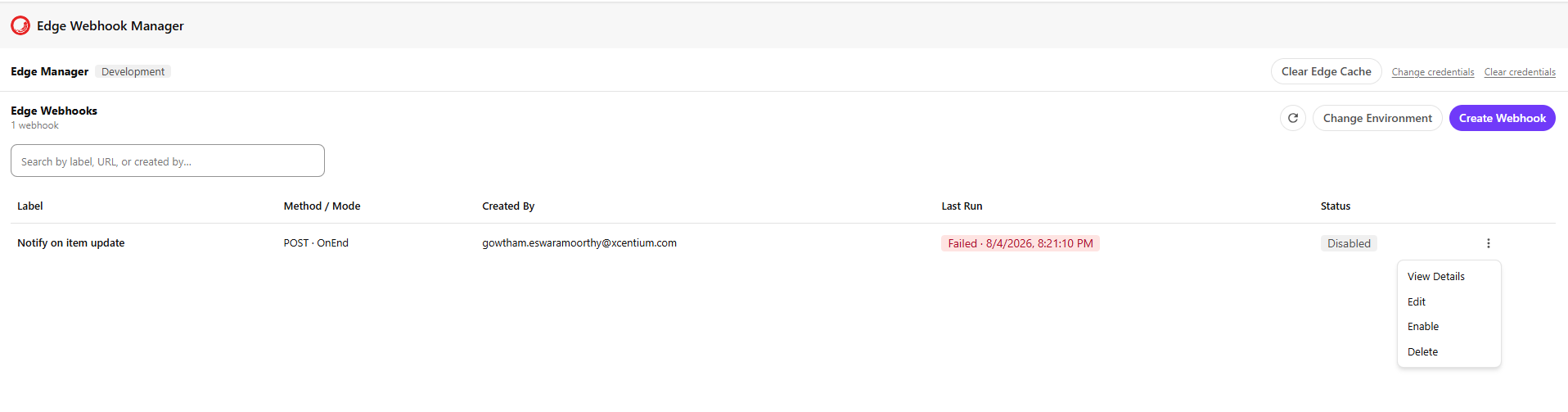
- Enable or disable a webhook without deleting it.
- Clear the Experience Edge cache with a single action and a confirmation step to prevent accidental clearing.
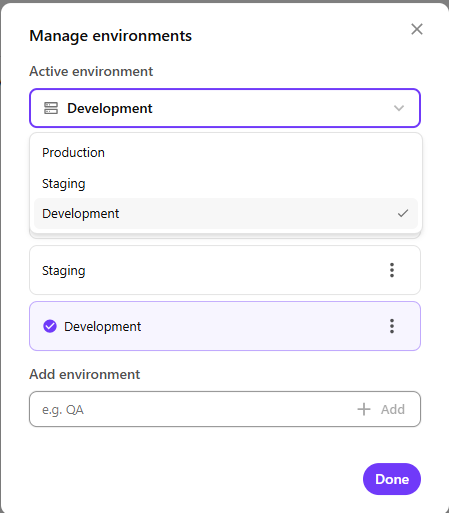
- Manage Production, Staging, Development, QA, and other custom environments from the same application.
Tasks that previously required a script, support request, or carefully prepared API command can now be completed through a simple interface inside Sitecore.
Two Ways Webhooks Can Run
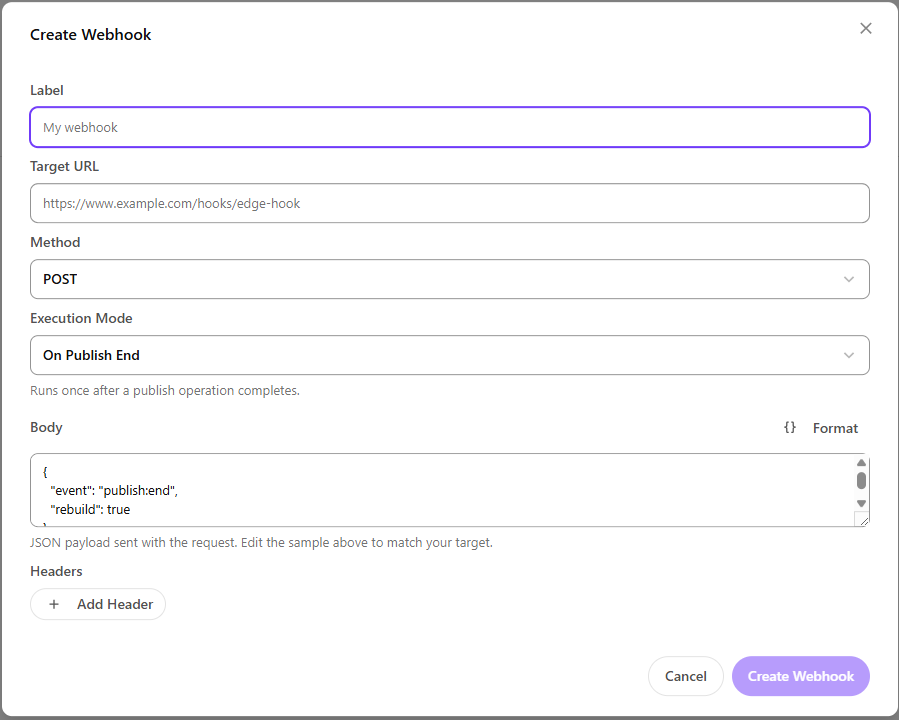
Sitecore Experience Edge supports two webhook execution modes. Edge Webhook Manager clearly explains the difference while creating or editing a webhook.
On Publish End
This mode runs once after a publishing operation has completed. It is useful when you need to:
- Trigger a website rebuild.
- Clear a CDN or application cache.
- Notify another system after content is published.
- Start a process after a batch of changes goes live.
On Entity Update
This mode runs whenever an individual entity is updated. It sends information about each entity as the change happens.
It is useful for near real-time integrations where another system needs to receive individual content updates instead of waiting for the entire publishing process to finish.
The create dialog displays a simple description for each mode and automatically shows the relevant payload field.
When On Publish End is selected, the form displays a Body field for the JSON payload that will be sent with the request.
When On Entity Update is selected, the form displays a Body Include field where you can specify which fields should be included in the update payload.
This makes it easier to understand which configuration is required for each execution mode.
Built for Multiple Environments
Most Sitecore implementations use more than one environment. A typical setup may include Production, Staging, Development, and QA, with separate Experience Edge Admin credentials for each one.
Edge Webhook Manager supports this as a standard use case.
Each configured environment keeps its own credentials and webhook list. Switching between environments is handled through a dropdown, without requiring the user to repeatedly enter connection details.
For example, if a developer wants to test a webhook in Staging before adding it to Production, they can select the Staging environment, verify the connection, and work with the webhooks registered there.
The application keeps each environment separate, reducing the chance of modifying a Production webhook by mistake.
Handling Credentials Safely
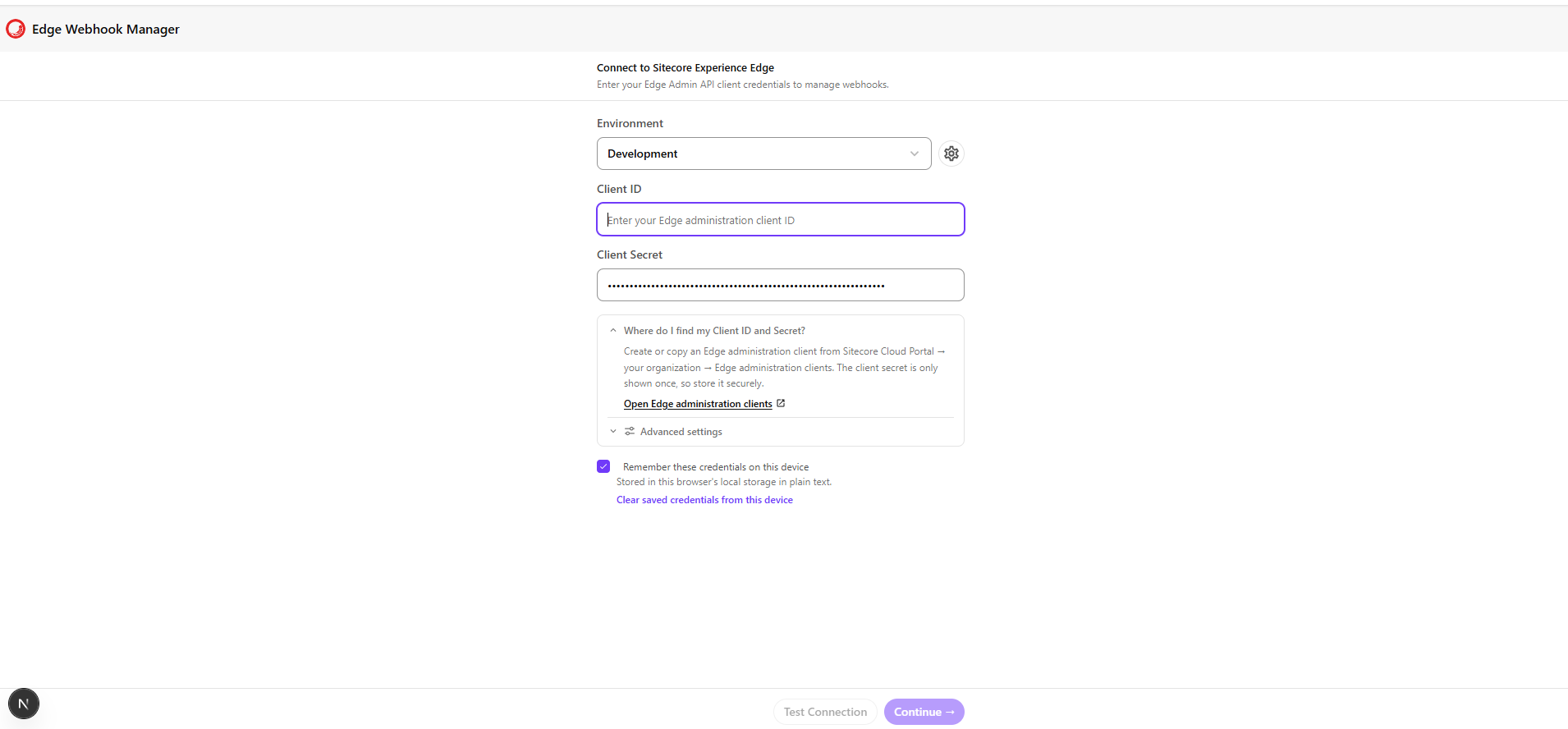
The Experience Edge Admin API requires a client ID and client secret with the appropriate permissions. Because these credentials provide administrative access, the way they are handled is important.
Edge Webhook Manager includes several measures to manage them safely.
Connection Testing
Credentials are verified against Sitecore's authentication service before the user can continue into the application. This helps identify invalid credentials immediately instead of discovering the issue after performing another action.
Optional Local Storage
Users can choose whether they want the application to remember their credentials on the current device. When this option is enabled, the credentials are stored only in the browser's local storage. They are not stored in the application's server-side database. The choice is optional and must be selected by the user.
Server-Side API Proxy
Requests to the Experience Edge Admin API are routed through a Next.js API endpoint. The browser does not communicate directly with the Edge Admin API. This keeps API communication in one place and makes the request flow easier to maintain and review.
Direct Access to Credential Management
The setup screen includes a direct link to the Edge administration clients section in the Sitecore Cloud Portal for the selected organization. Users do not need to search through separate documentation just to find where the client ID and client secret should be created.
How It Works in Practice
Consider a content author publishing a new landing page.
An On Publish End webhook has already been configured in Edge Webhook Manager and points to the marketing website's rebuild endpoint. When publishing completes, Experience Edge runs the webhook and the website rebuild begins.
The next time someone opens the webhook grid, the Last Run column displays the execution time along with a green Success status.
Now consider another situation where a downstream integration did not receive a recent content update.
Instead of searching through scripts or trying to recreate an API command, a developer can open Edge Webhook Manager and view the webhook configuration. They can inspect the target URL, headers, HTTP method, execution mode, and raw JSON response.
If something is incorrect, they can update the webhook directly from the edit dialog and save the changes. There is no application redeployment or additional API scripting required.
This changes webhook management from a developer-only task into an operation that anyone with the correct Experience Edge credentials can perform with confidence.
A Reusable Approach
Edge Webhook Manager follows the same architectural approach that XCentium uses across its Sitecore Marketplace applications.
It is a focused extension that works directly within Sitecore, communicates with the platform API it was designed for, and keeps sensitive operations on the server side instead of exposing them in the browser.
The goal is to give users direct and controlled access to Sitecore capabilities that previously required support from a developer. In this case, that approach is applied to Experience Edge webhook management.
As more of the Sitecore platform becomes API-first, everyday operational work will continue moving away from scripts and manual commands. Tools such as Edge Webhook Manager make those capabilities available through interfaces that are easier and safer for teams to use.