



Media libraries grow quietly. A campaign image is uploaded for one landing page. A banner is replaced, but the old version stays behind. A PDF is used for a short-term promotion and then forgotten. Over time, those small moments add up.
The Sitecore media library can become harder to search, harder to govern, and harder for content teams to trust.
For marketers and content authors, the problem is not simply storage. It is confidence. When the media library contains thousands of old, duplicate, unused, or poorly described assets, teams spend more time asking questions that should be easy to answer:
- Is this image still used anywhere?
- Can this old campaign asset be removed safely?
- Which images are missing ALT text?
- Can I export a list for review before anyone deletes anything?
That is the problem the Media Library Assistant is designed to solve.
A Marketer-First Way to Review Media Health
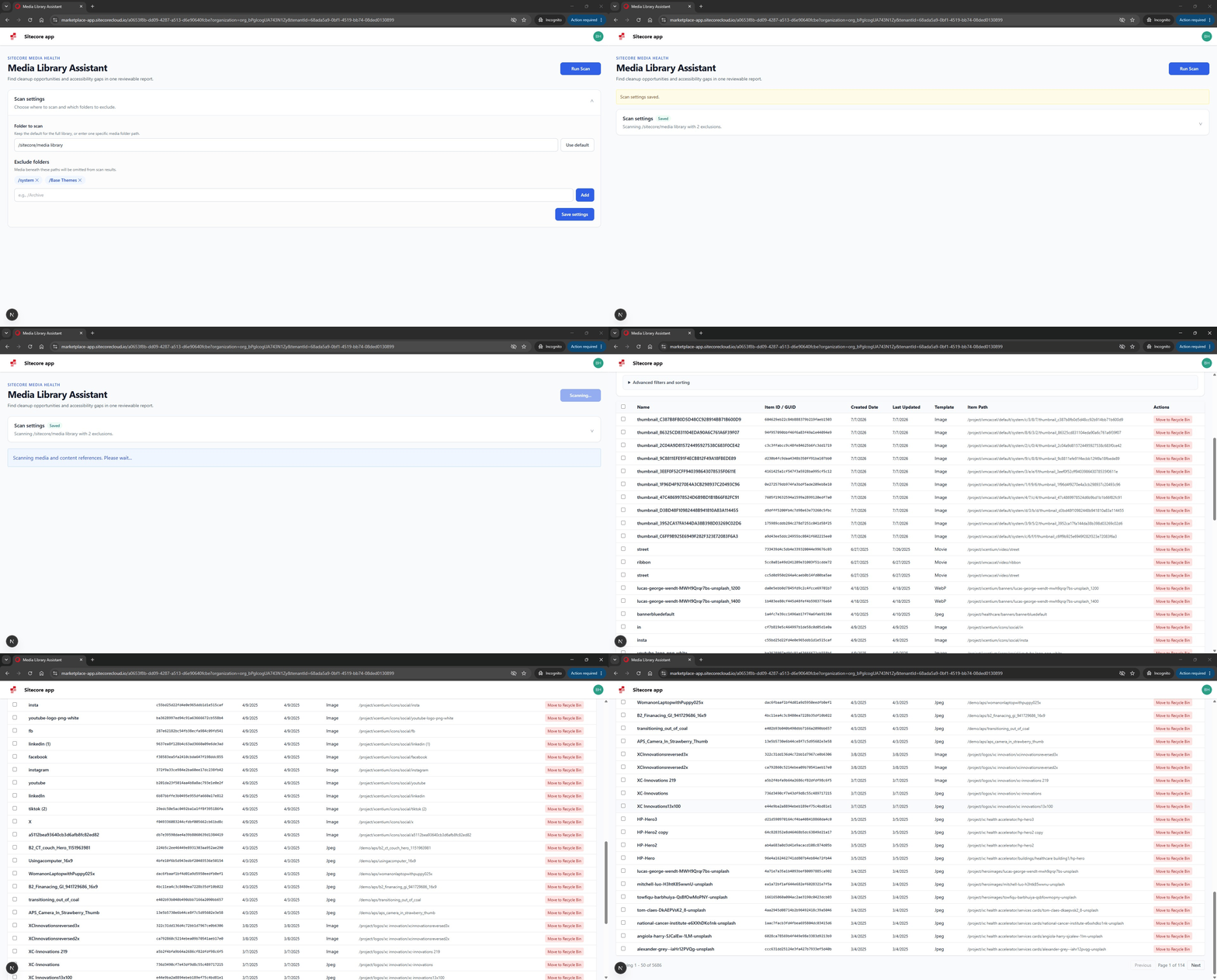
The Media Library Assistant gives teams a simple review workflow inside Sitecore AI CMS. Instead of asking marketers to manually inspect folders, copy item IDs, or rely on developer-led queries, the assistant scans the media library and creates a clear report of items that need attention.
The experience is intentionally focused on the jobs marketers care about most:
- Finding unused media items
- Identifying referenced images that are missing ALT text
- Reviewing results before cleanup
- Exporting CSV reports for approval, governance, or follow-up
The goal is not to make marketers think like developers. The goal is to give them a safer, more understandable way to manage media library quality.
Why Unused Media Matters
Unused media is easy to ignore because it usually does not break a page. However, it still creates operational drag.
When unused assets accumulate, content teams may see several similar images and not know which one is current. Search results become noisy. Governance becomes harder. Migration and redesign projects take longer because teams have to sort through assets that may no longer serve a business purpose.
The assistant helps by scanning media items against content references and surfacing the items that were not found in the current reference scan.
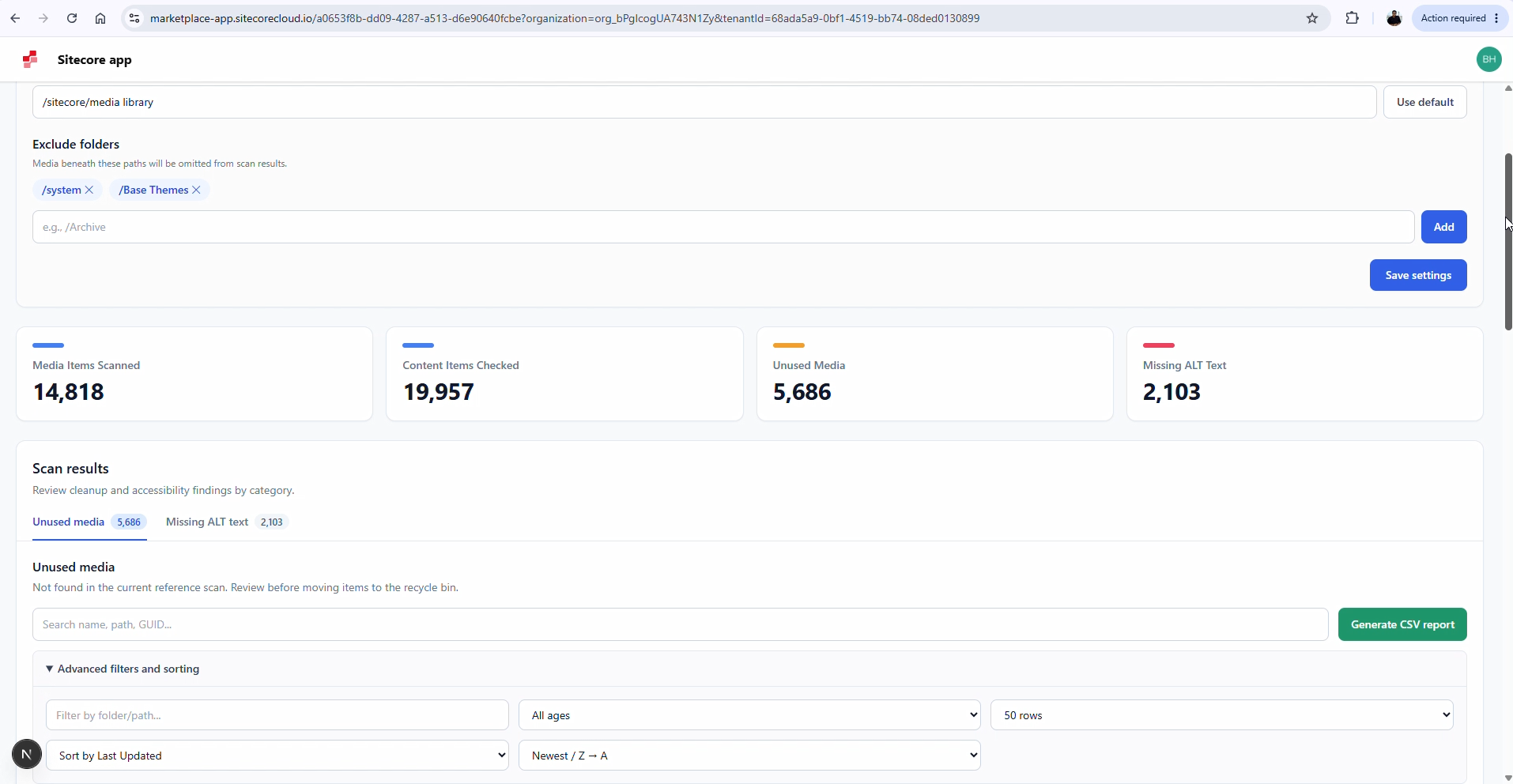
This gives teams a practical starting point. Instead of cleaning the entire library by hand, marketers can review a focused report, share it with stakeholders, and decide what should be archived or deleted.
Accessibility Support Through Missing ALT Text Checks
A clean media library is not only about removing old assets. It is also about improving the quality of assets that are actively used.
That is why the assistant includes a dedicated tab for referenced images that are missing ALT text. ALT text helps users who rely on assistive technologies understand meaningful images. It also gives content teams a simple way to find accessibility gaps in existing content.
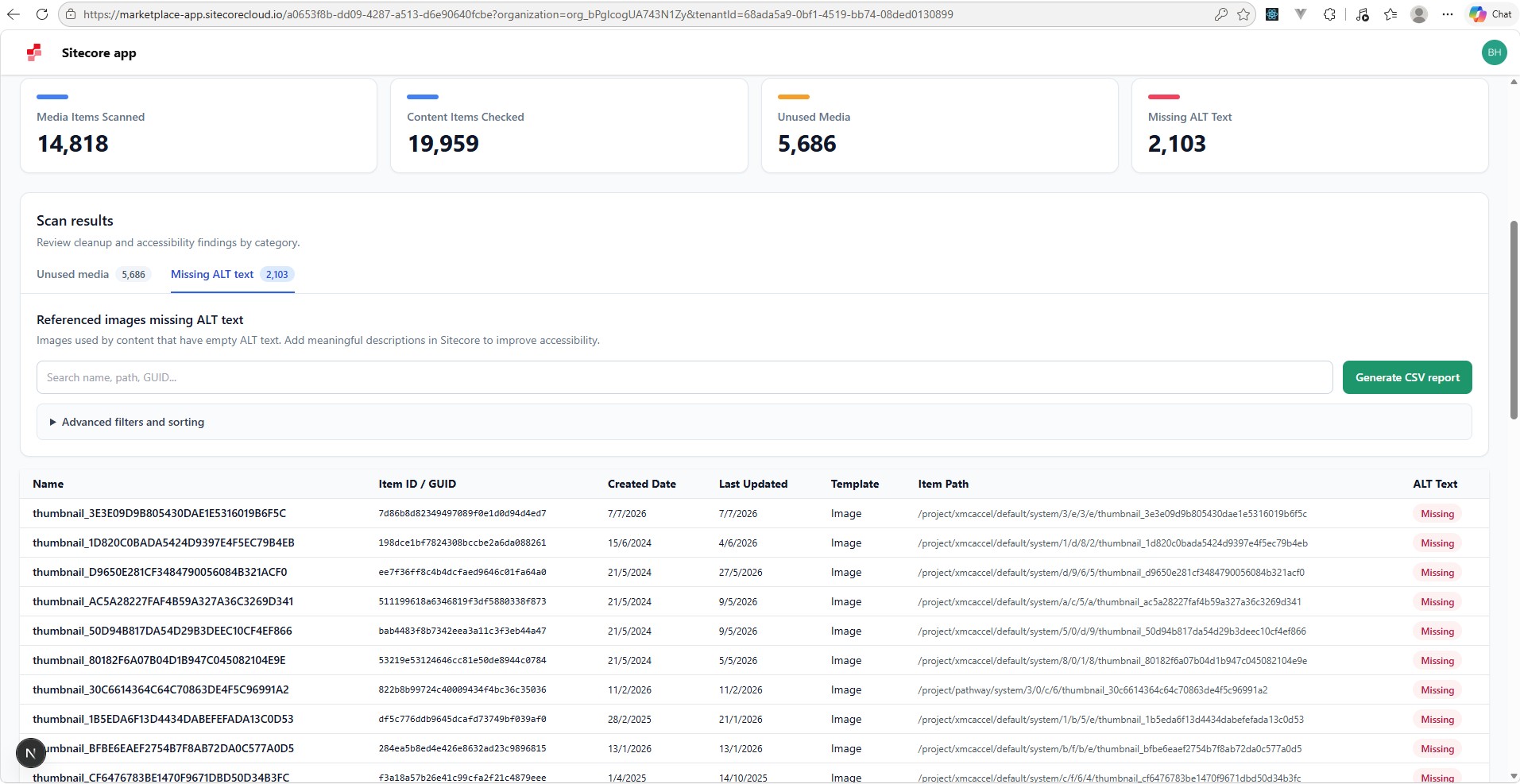
This distinction is important. A missing ALT text report is most useful when it focuses on images that are actually referenced by content. This keeps the report actionable and avoids sending marketers into cleanup work that may not affect the live experience.
Cleaner Settings, Less Visual Noise
During the design review, one key point became clear: marketers and content authors usually do not need to configure base paths, exclusions, and scan rules every time they use the tool.
Those settings are important, but they are not the main task.
The updated interface moves configuration into a collapsible settings area. On first use, the settings can be opened so the user can confirm the media folder and exclusion rules. Once saved, the settings collapse automatically and stay out of the way.
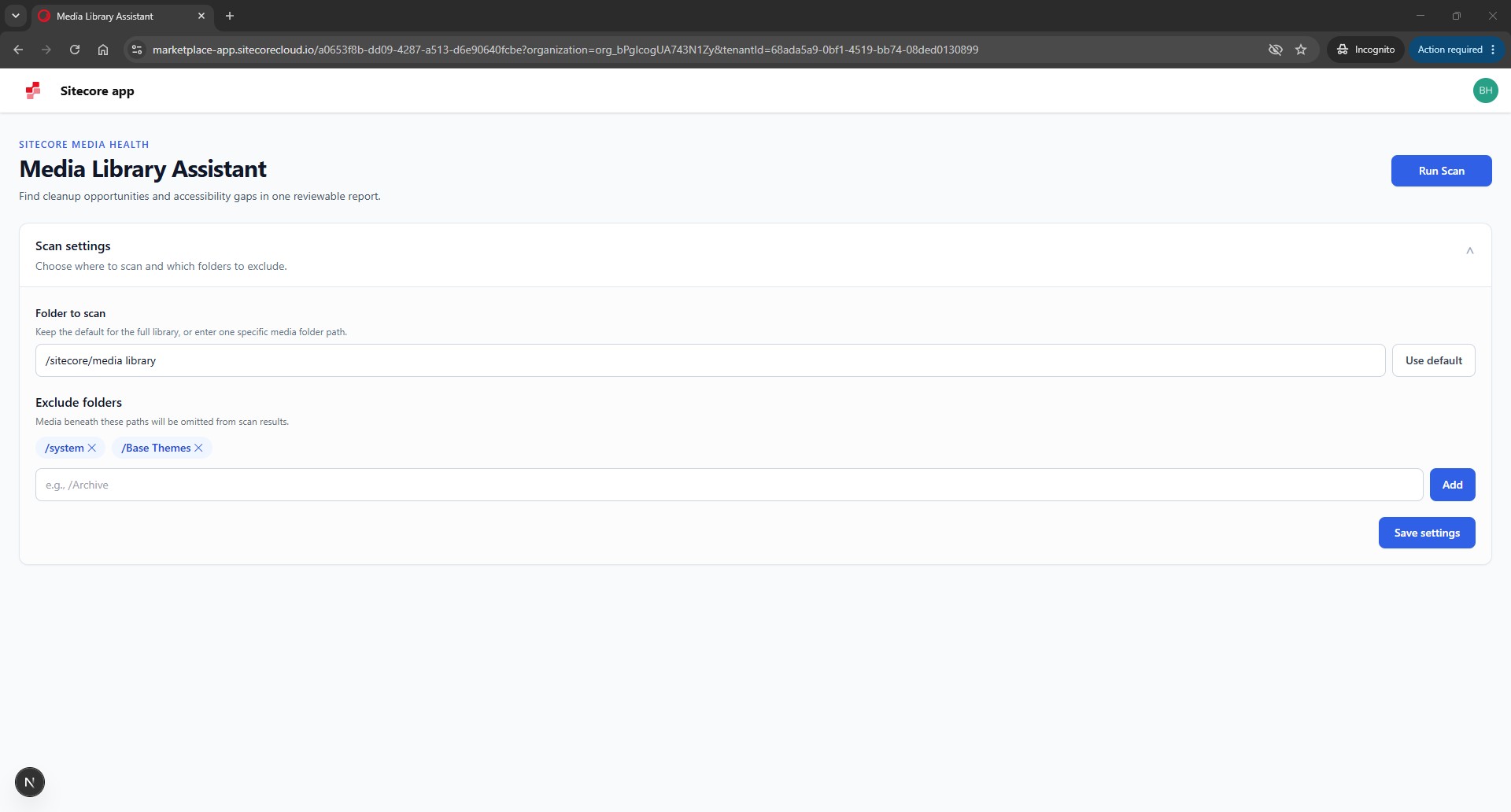
When the user starts a scan, the settings and advanced filters close automatically. This keeps the screen focused on progress, results, and reporting instead of technical setup.
Built for Review Before Cleanup
The assistant is designed around a review-first workflow. It does not assume that every unused item should immediately be deleted.
That is especially important for marketing teams, where media cleanup often requires business review. An image might look unused because a campaign has ended, but the team may still want to keep it for historical reference. A PDF may no longer be linked from current pages, but legal or compliance teams may need to approve its removal.
For that reason, CSV export is a core part of the experience.
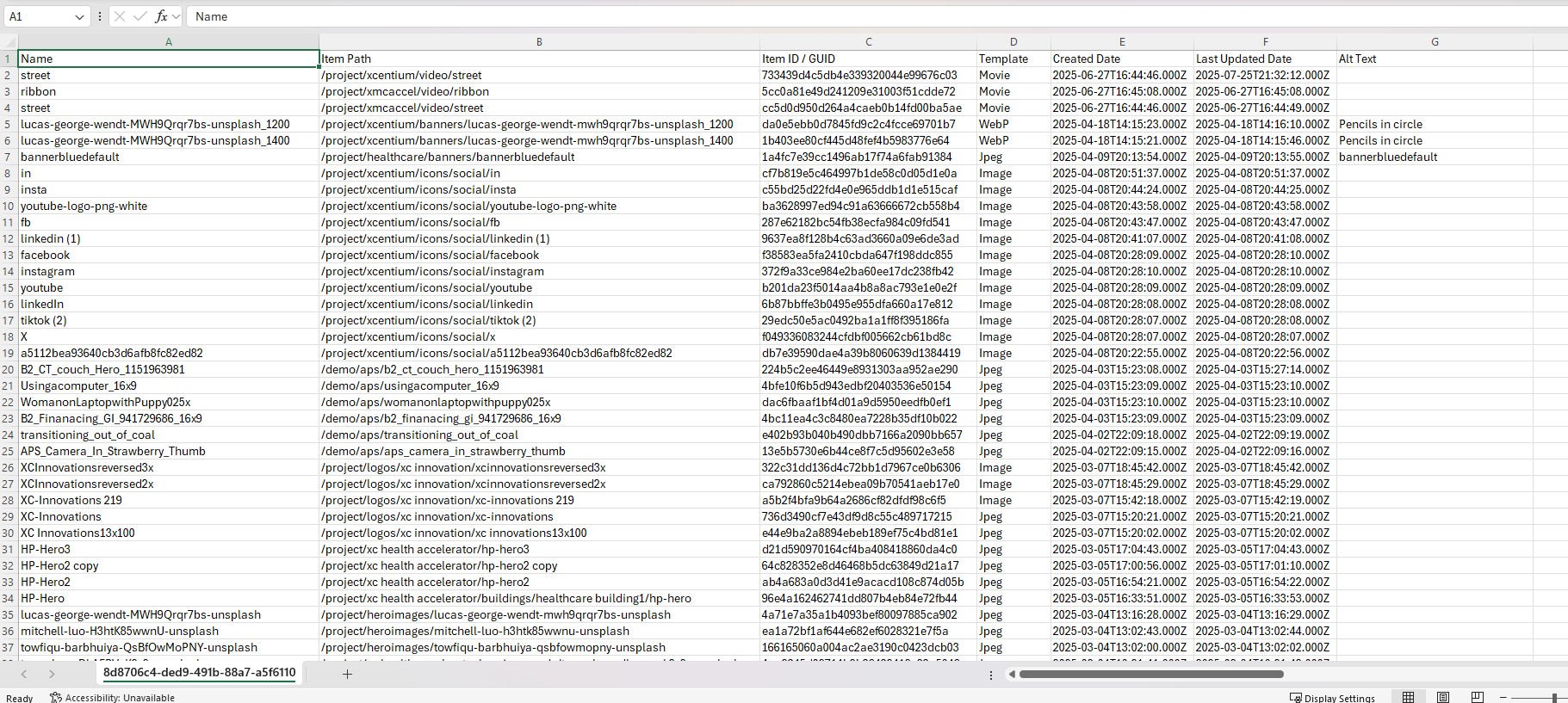
Teams can generate reports for unused media or missing ALT text, download the CSV, and use it as a review artifact. This makes cleanup more collaborative and less risky.
What Marketers Gain
For marketing and content teams, the value is straightforward:
- Less time spent manually checking media usage
- More confidence when deciding what can be cleaned up
- Better visibility into accessibility gaps
- Cleaner reports that can be shared with stakeholders
- A simpler interface that keeps technical settings out of the primary workflow
For Sitecore teams, the assistant also creates a flexible foundation. The same approach can be extended to support additional media governance checks, such as large file detection, duplicate asset review, stale asset reporting, or custom organization-specific rules.
The practical outcome is that media cleanup becomes less of a technical project and more of a guided review process that marketers can understand, trust, and share.
A Small Tool With a Practical Purpose
Media library cleanup is rarely the most glamorous part of digital marketing operations, but it has a real impact on day-to-day content work.
When teams can quickly see what is unused, what needs ALT text, and what should be reviewed before cleanup, they can keep the media library healthier without turning the task into a technical project.
That is the purpose of the Media Library Assistant: to make media governance easier, safer, and more useful for the people who manage content every day.
Future Enhancements: Expanding Media Governance
The current assistant focuses on high-value media cleanup scenarios, such as unused media and referenced images missing ALT text. However, the same foundation can grow into a broader media governance layer for Sitecore AI CMS.
Future enhancements could include:
- Valid name detection: Flag media items with unclear, auto-generated, duplicate-like, or non-marketer-friendly names so teams can find assets using the words they use in campaigns.
- Duplicate detection: Identify files that appear to be reused, re-uploaded, or stored multiple times under different folders or names.
- Empty media item detection: Find media items that exist in the library but do not have a usable file attached.
- Metadata quality checks: Report missing titles, descriptions, tags, or other fields that help marketers organize and reuse assets.
- Large file reporting: Highlight oversized assets that may affect page performance or content delivery.
This does not have to stop at cleanup. It can become a flexible assistant for media quality, accessibility, performance, governance, and content operations.
Each enhancement is another way to make a marketer's day easier: less guessing, less manual checking, fewer confusing assets, and more confidence that the right image or document can be found when it is needed. The possibilities are broad because every organization has its own rules for what a healthy media library should look like.