



Contentstack Assets is the new, more robust option for managing media in Contentstack. It is a dedicated digital asset management (DAM) product that replaces the legacy asset library previously used for media storage within each individual stack. If your organization recently upgraded, you may have missed some of the biggest changes.
Contentstack Assets Lives at the Org Level
The biggest change comes down to where your assets actually live. Visually, you can still access them through the same Assets tab you have always used. Structurally, though, they have moved from inside a stack to the organization level within spaces.
One space is automatically created per stack, along with any additional spaces you may want to create for shared brand or vendor assets. The migration handles this automatically, and you can still access your new stack space from the Assets tab within your stack. This is why the change can be easy to miss.
If the change is not visible from your stack, where do you go to see it?
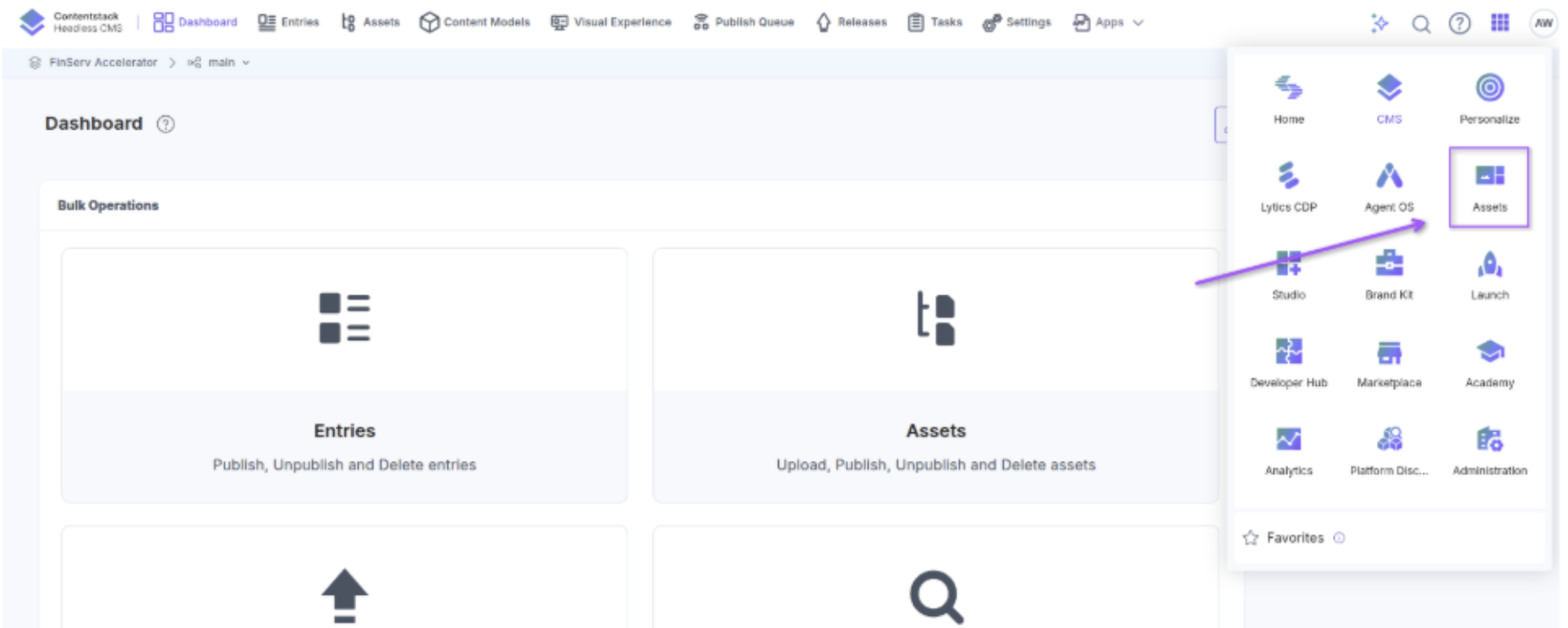
Open the App Switcher
Open the app switcher in the upper-right corner, and you will see an "Assets" app. This is where some of the more significant changes become visible.
Here, you will see all the spaces that were created based on your stacks. More importantly, you get access to two new features in the top navigation bar: Fields and Asset Types.
Fields and Asset Types Replace Dummy Content Types for Metadata
In the legacy Assets experience, you only had a title, description, and tags to work with. If you wanted more granular metadata for your content, you had to build a dummy content type and use a reference field to keep the asset and its metadata together.
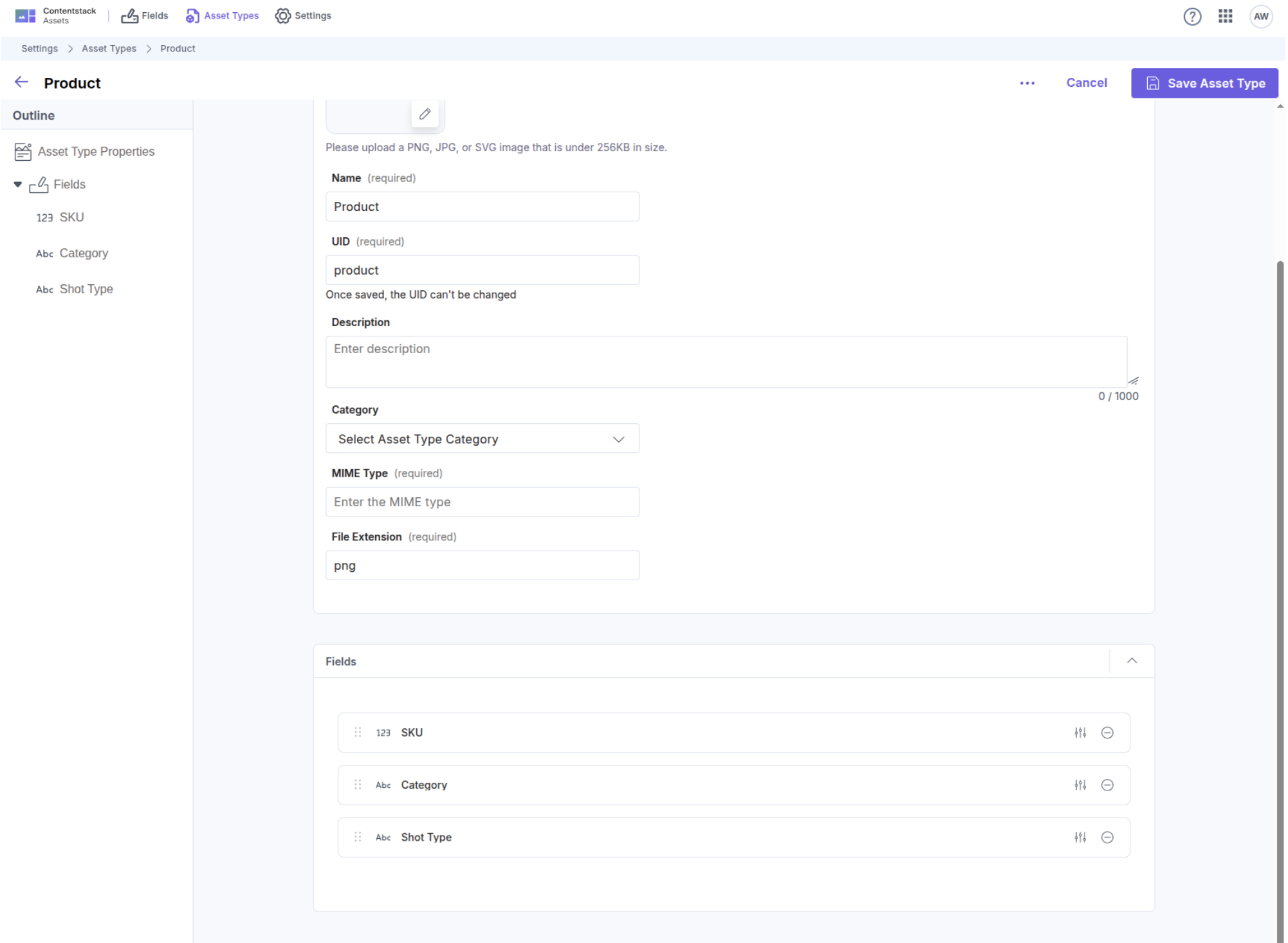
Fields and Asset Types provide a solution to this old workaround. You can now create user-defined fields in the Fields tab. Then, in the Asset Types tab, you can create and modify asset types and add those custom fields to them.
For example, you could create a Product Image asset type with metadata for product SKUs, categories, shot types, and other relevant information. Because that metadata now lives on the asset itself, you can also filter by it and create saved views within your asset library.
Metadata is not the only capability that previously had to live outside the asset. Localization is another major change.
Localization Without Duplicate Assets
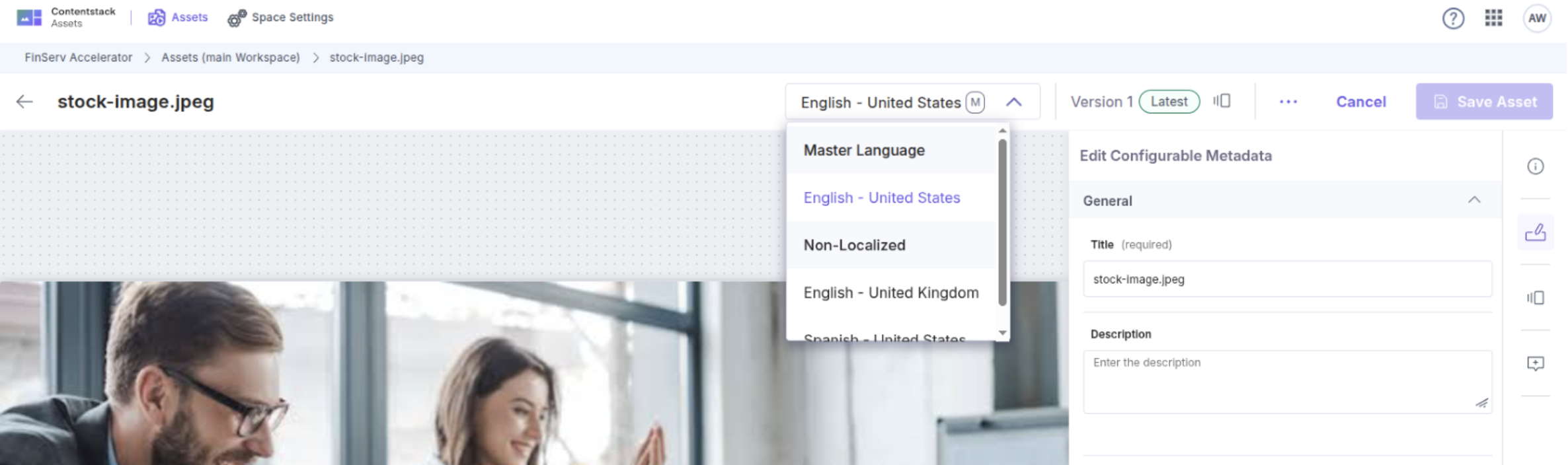
Previously, an asset had no concept of locale in the same way a content entry did. As a result, you had to upload a separate asset for each locale that required unique content.
Now, assets can hold their own locale. This means a single asset entry can have different image files associated with it for different locales while remaining one asset in your asset library.
It is important to note that localization does not change delivery automatically. A localized variant is only used after you select it for an entry in that locale and publish it.
All of this functionality is available through the UI, but it is also available programmatically.
A New API, but the Old One Still Works
For developers, the updated Contentstack Assets API makes the scope of the upgrade even more apparent. The new API runs on its own host at am-api.contentstack.io for AWS North America.
The API includes the new concepts introduced with Contentstack Assets, including spaces, asset types, user-defined fields, and locale settings. This allows you to build and manage the new asset model programmatically. You can create a space, define fields, bind those fields to asset types, and enforce metadata on uploads.
Just as importantly, existing implementations continue to work after migration. Existing integrations, webhooks, and SDK calls continue operating as before, and asset URLs remain the same.
This brings us to what the upgrade ultimately represents.
The Shift From Storage to DAM
Overall, the Contentstack Assets upgrade is more significant than it may initially appear. It represents a shift from simple media storage to a more complete digital asset management product, providing greater control over how media is modeled and managed.
Asset types and custom fields provide more advanced asset modeling while eliminating previous metadata workarounds. Assets now support localization, and new capabilities make it easier to filter and organize media, including AI features such as color recognition and auto tagging.
At the same time, the migration is designed to minimize disruption for end users. The familiar way of accessing and using assets remains largely the same, even though the underlying asset model has changed significantly.