



Upgrading from Sitecore JSS to the Sitecore Content SDK is no longer optional if you want access to the latest SitecoreAI features. If you want to see what you are missing out on, you can take a look at another post of mine. But while the benefits of the Content SDK are clear, the upgrade process itself can feel anything but.
That’s exactly why we built the SitecoreAI SDK Upgrade Assistant.
It takes a painful, repetitive process and turns it into something fast, safe, and predictable.
The problem with the standard path
Most JSS upgrades fail not because they’re hard, but because they’re repetitive and brittle. The Upgrade Assistant removes both problems.
If you’ve looked at the official upgrade guides, it probably looks pretty daunting, especially if you are coming from a stale JSS version. For every single version change you have to:
- Replace packages
- Refactor configuration
- Update breaking changes
- Chase down subtle Next.js and SDK differences
- Test, fix, verify
This can become repetitive and time consuming very quickly. Worse still, many of these steps are:
- Repetitive across projects
- Easy to get slightly wrong
What the Upgrade Assistant is
The SitecoreAI SDK Upgrade Assistant is a developer-focused toolset that helps automate and guide the transition from JSS applications to the Content SDK.
It combines several core capabilities:
- AI agent-based workflows for higher-level upgrade decisions
- Traditional scripting for predictable, mechanical changes
- Linting, formatting, and automated testing to catch issues early
- Organized documentation for both AI context and developer reference
- Real platform knowledge from production Content SDK upgrades
The goal isn’t a one-click miracle, but an assistant-guided and accelerated upgrade pathway.
How it works
AI Agent workflows
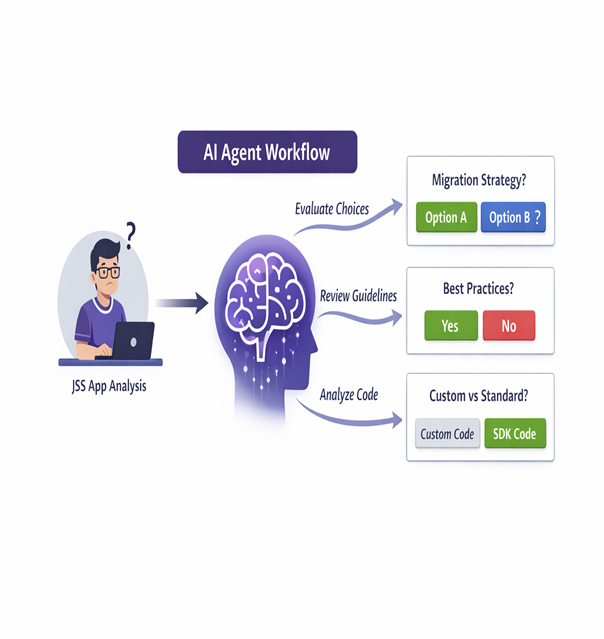
Each JSS implementation is different, and many tasks require real context and judgment such as:
- Identifying patterns in your application
- Choosing the right migration strategy
- Comparing your setup to best practices
- Separating custom solution code from Sitecore upgradeable code
Rigid scripts cannot solve these problems because every implementation is unique. The Upgrade Assistant uses preconfigured, context-driven AI workflows to guide these complex tasks.
Traditional scripting for predictable tasks
AI agents are powerful, but not every task needs AI. When something is highly repeatable and precise, the Upgrade Assistant relies on deterministic scripts.
- Dependency swaps
- File restructuring
- Configuration updates
- Token replacement
Linting, formatting, and automated testing
Both Content SDK and Next.js provide rules and verification tools, but upgrades need additional safeguards. The Upgrade Assistant includes upgrade-specific rules that automatically validate implementation details and enforce best practices.
For example, instead of manually checking upgrade documentation that says:
Import SitecoreStyles in Layout.tsx and place it after Scripts.
The assistant can automatically verify whether that requirement is correctly implemented.
Organized documentation
There is a lot of useful information available—upgrade docs, breaking changes, best practices—but finding the right information at the right time is difficult.
The Upgrade Assistant includes curated documentation directly within the solution.
- No searching through scattered documentation
- Relevant guidance appears when needed
- The same documentation powers both developers and AI workflows
Built on real-world experience
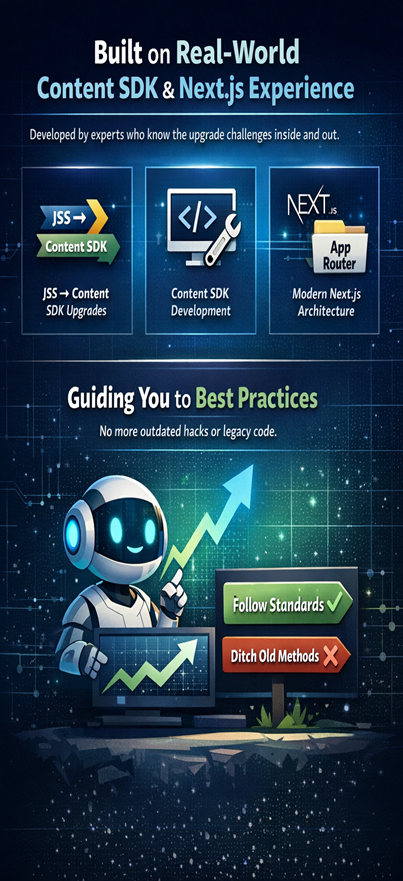
The Upgrade Assistant is built and maintained by developers with hands-on experience in:
- JSS to Content SDK upgrades
- Content SDK development
- Modern Next.js architecture
This ensures upgrades not only work but also align with modern development practices instead of carrying forward outdated patterns.
Putting it all together
Each capability is useful individually, but the real value comes from combining them into a single workflow.
- Scripts perform tasks and lint results
- AI workflows locate files and trigger scripts
- Agents verify code against documentation and best practices
The workflow can look like this:
JSS Component → Copy files → Load upgrade documentation → Apply rules → Execute upgrade workflow → Build, lint, and test → Content SDK component
This workflow is already implemented in the SitecoreAI SDK Upgrade Assistant, as shown in the demo below.
What this means for non-developers
🚀 Faster upgrades.
By automating repetitive tasks and guiding complex ones, the Upgrade Assistant significantly reduces the time required to move from:
“We should upgrade someday” → “We are running on the Content SDK.”
If you would like to learn more, feel free to contact us.