



Migrating from an on-premises Sitecore XP/XM instance to Sitecore AI can be a significant undertaking. The process generally involves two major steps:
- Creating the Next.js code structure and rewriting existing components to support a headless architecture.
- Creating the site in Sitecore AI and rebuilding the entire content tree.
Both steps can be time-consuming. Organizations and developers are constantly looking for tools that can reduce the effort involved in migration.
Sitecore has introduced REST APIs that enable interaction with Sitecore AI. Assuming the first step is complete, what if we could use these APIs to transfer content directly from Sitecore XP/XM to Sitecore AI?
That is exactly what our XCentium Marketplace application, Sitecore Content Transfer, is designed to do.
Source Sitecore XP/XM Configuration
The application requires the following inputs from the source Sitecore XP/XM instance:
- Source SQL Connection String: The connection string for the Sitecore XP/XM master database, using the following format: Data Source=[Azure SQL instance];Initial Catalog=[master database name];User ID=[user id];Password=[password];TrustServerCertificate=True
- Source Item ID: The ID of the item and its subitems in Sitecore XP/XM that need to be migrated to Sitecore AI.
- Source Item Language: The language of the source items, with a default value of "en".
Target Sitecore AI Configuration
For the target Sitecore AI instance, the following configuration values are retrieved from environment variables by the Next.js application hosted on Vercel:
- Site Name: The name of the target site.
- Target Content Root Item ID: The Sitecore AI item that will serve as the root for the migrated content items.
- Target Root Item ID for Renderings: The root item for the migrated renderings.
- Target Root Item ID for Placeholders: The root item for the migrated placeholders.
- Target Root Item ID for Templates: The root item for the migrated templates.
- Target Global Datasource Root Item ID: The root item for the migrated global data sources.
- Target Root Item ID for Media Items: The root item for the migrated media items.
Sitecore Content Transfer Marketplace Application
We developed the Sitecore Content Transfer application to help streamline content migration from Sitecore XP/XM to Sitecore AI.
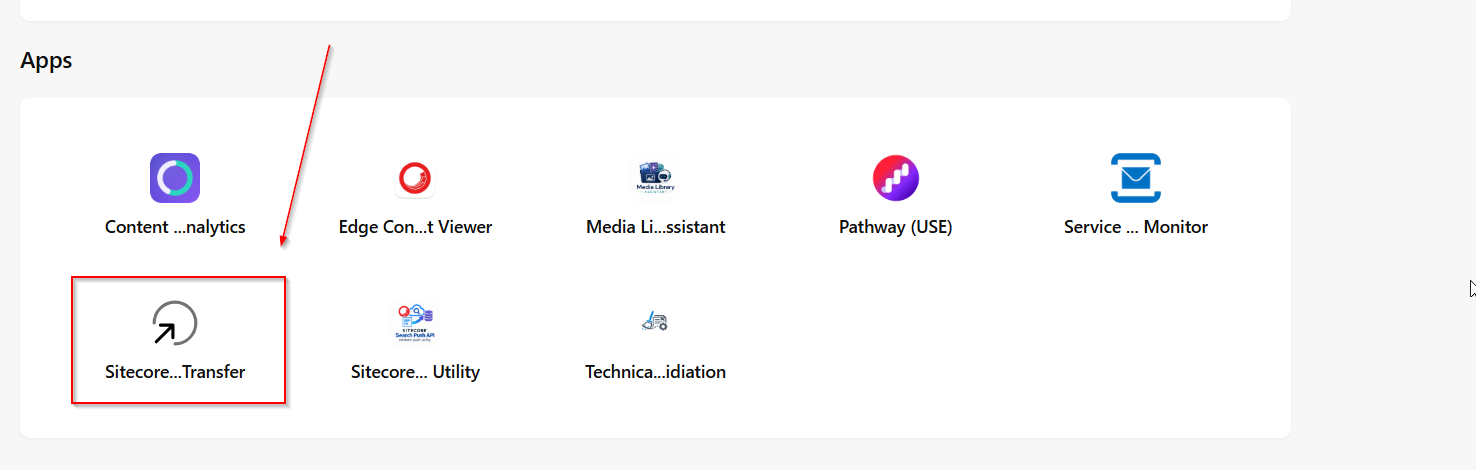
When you launch the Sitecore Content Transfer application from the Sitecore Marketplace, the following interface is displayed:
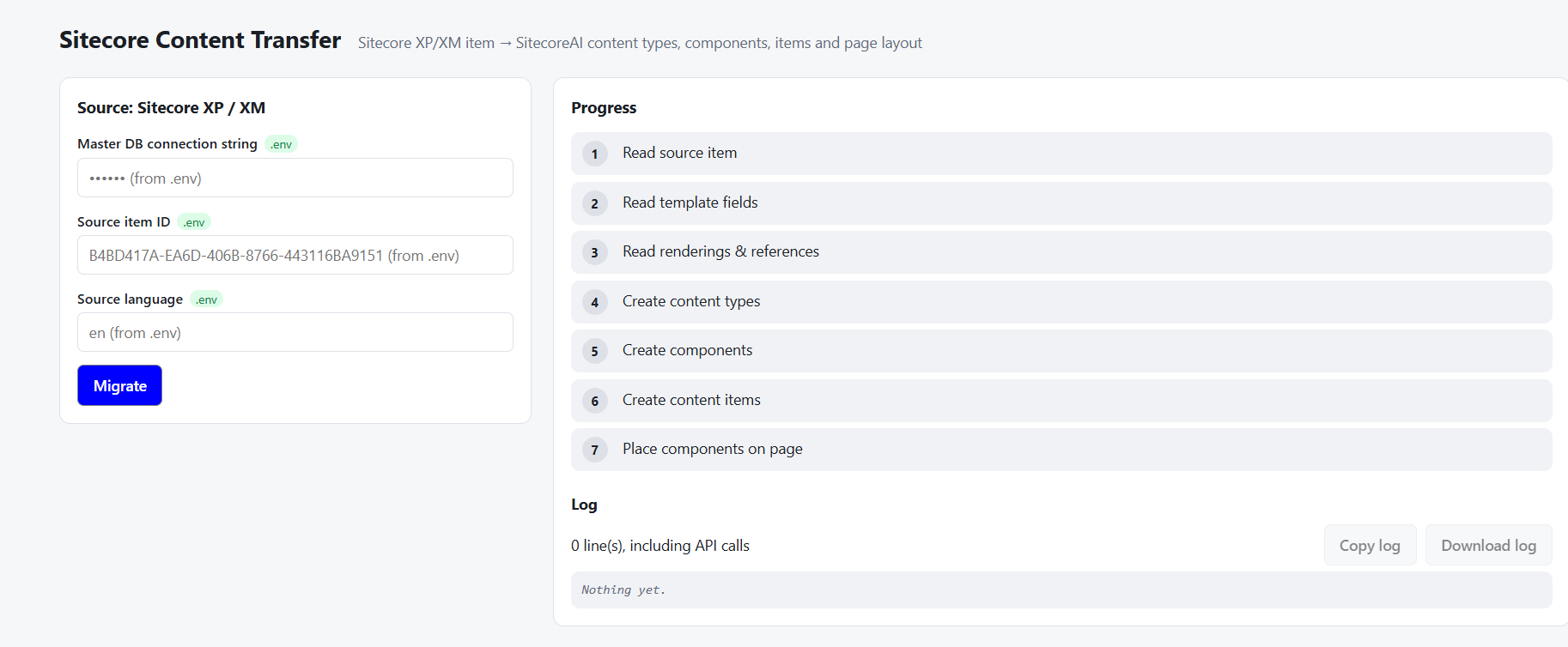
On the right side of the interface, you can monitor the progress of each migration step. The log section at the bottom provides information about any issues encountered during the process.
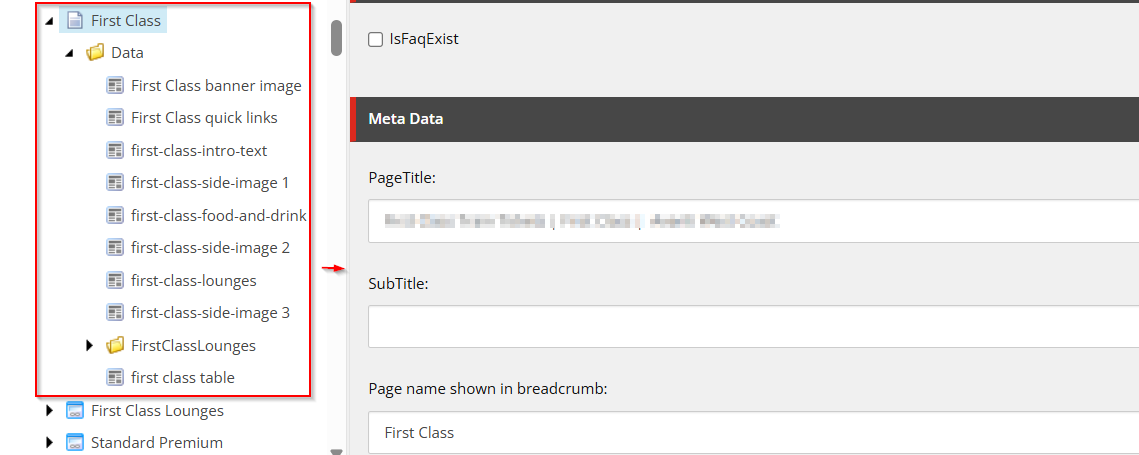
Following is an example of source items from Sitecore XP that we are
migrating to Sitecore AI:
Once we click on “Migrate”, you will see the progress like the following:
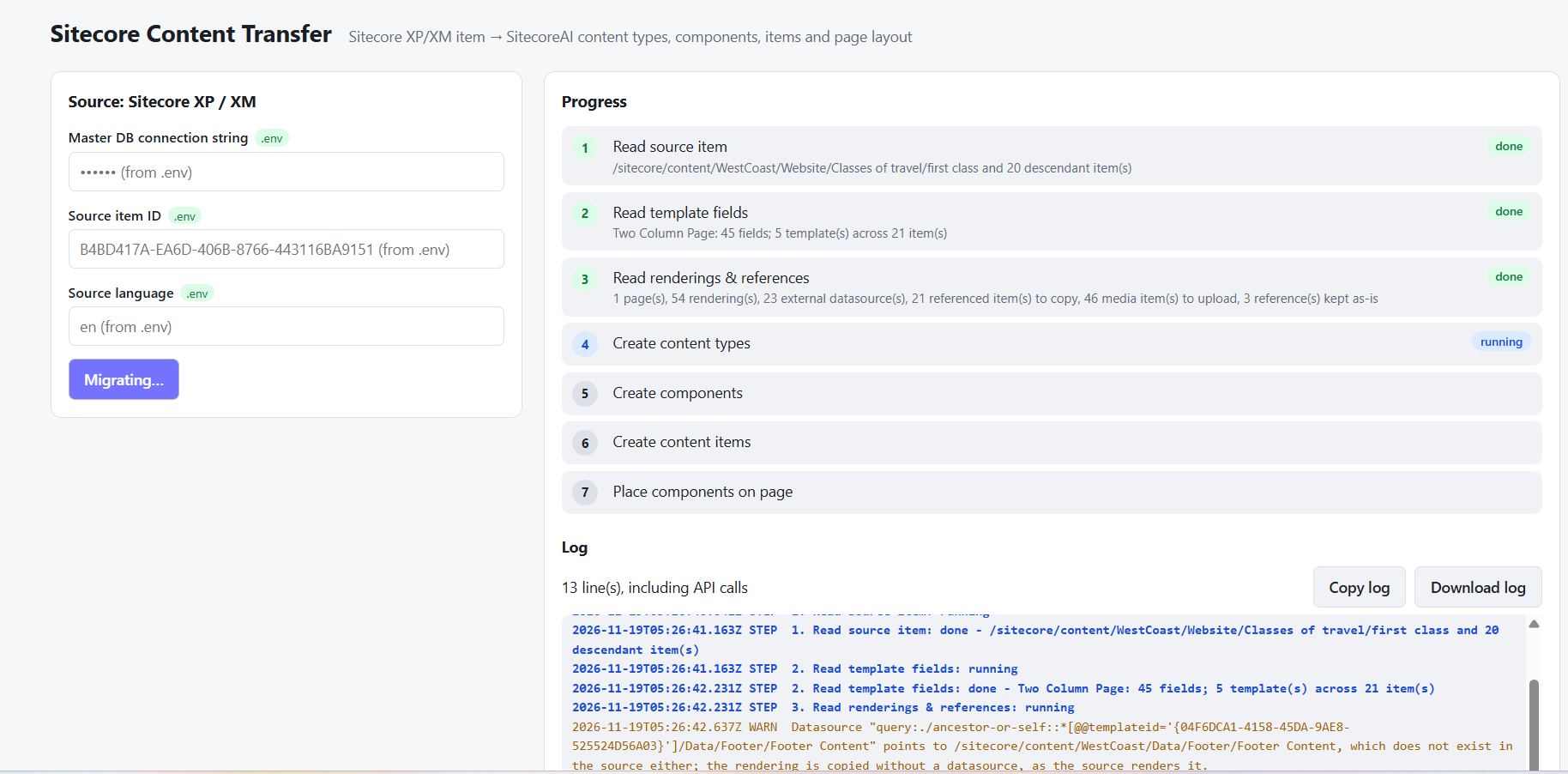
Migration process itself will take a while and once complete, you should see
something like this:
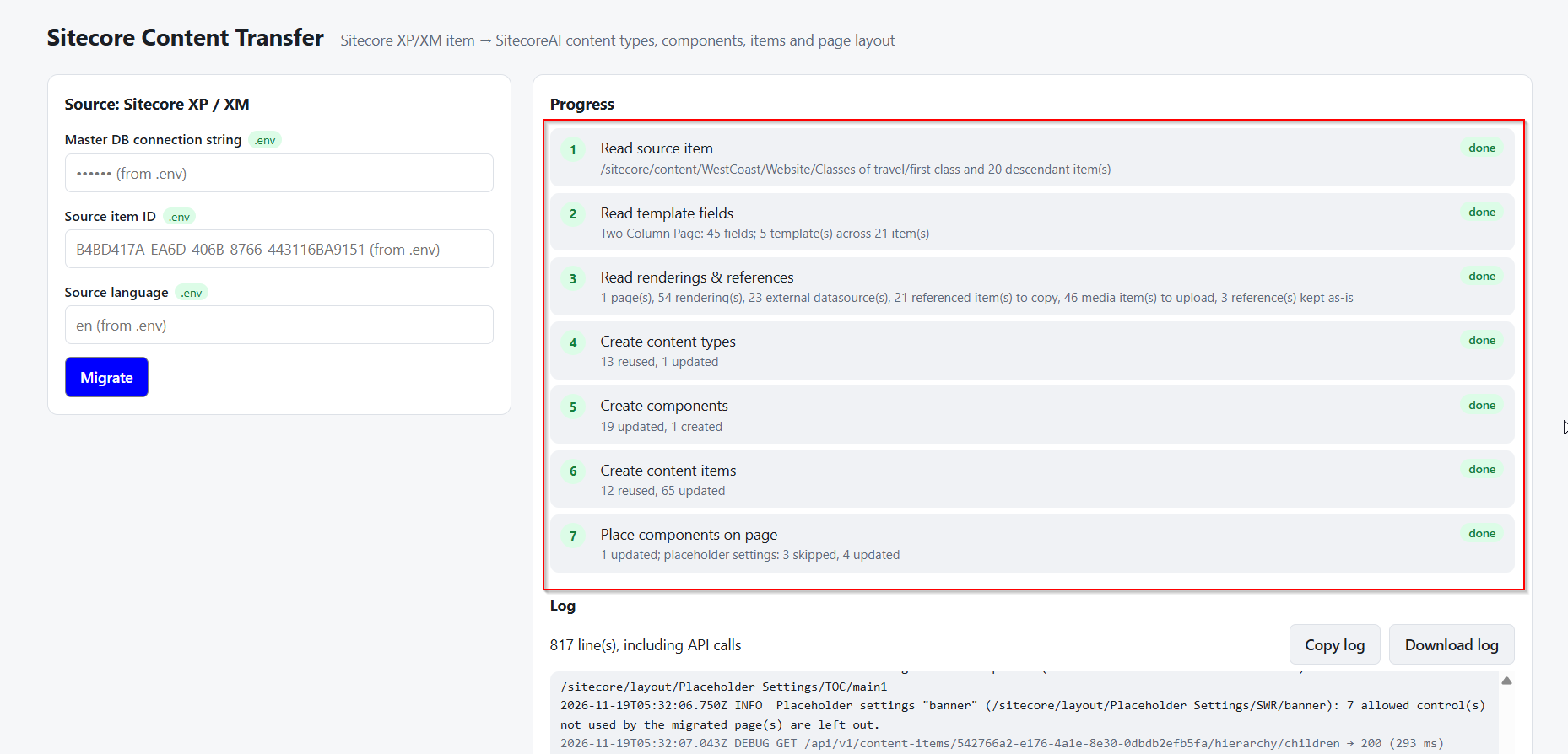
Since it says migration is now complete, you should see the content
migrated to Sitecore AI like following:
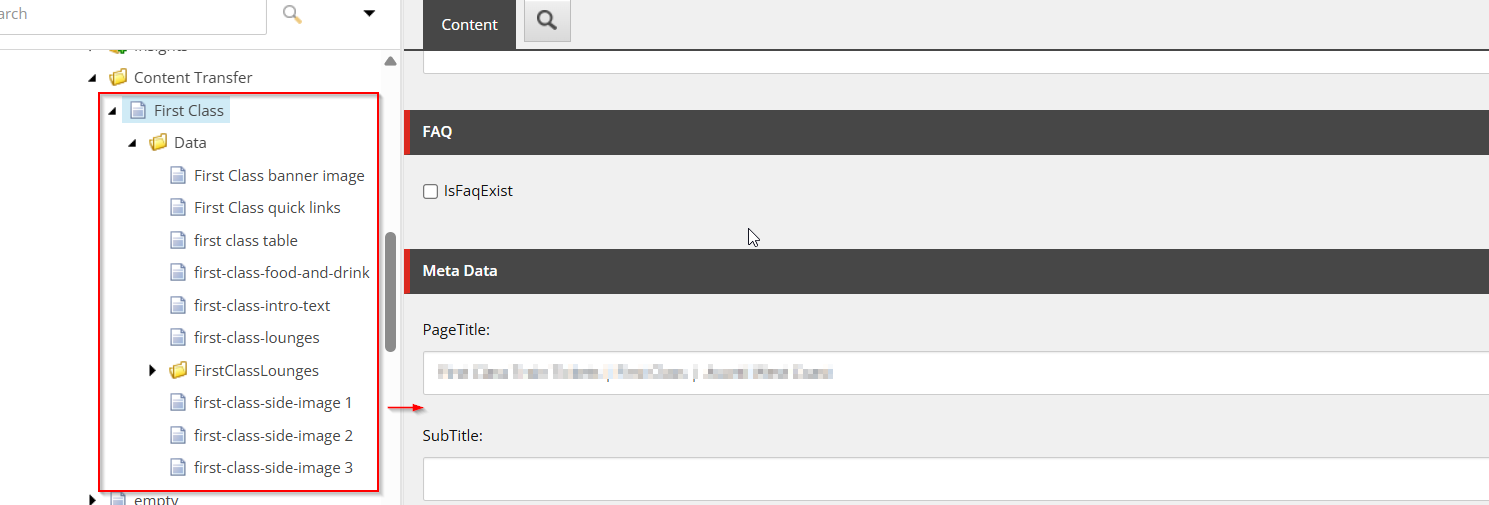
So, not only are the content items migrated, but the item renderings are also
configured with rightly pointed datasources:
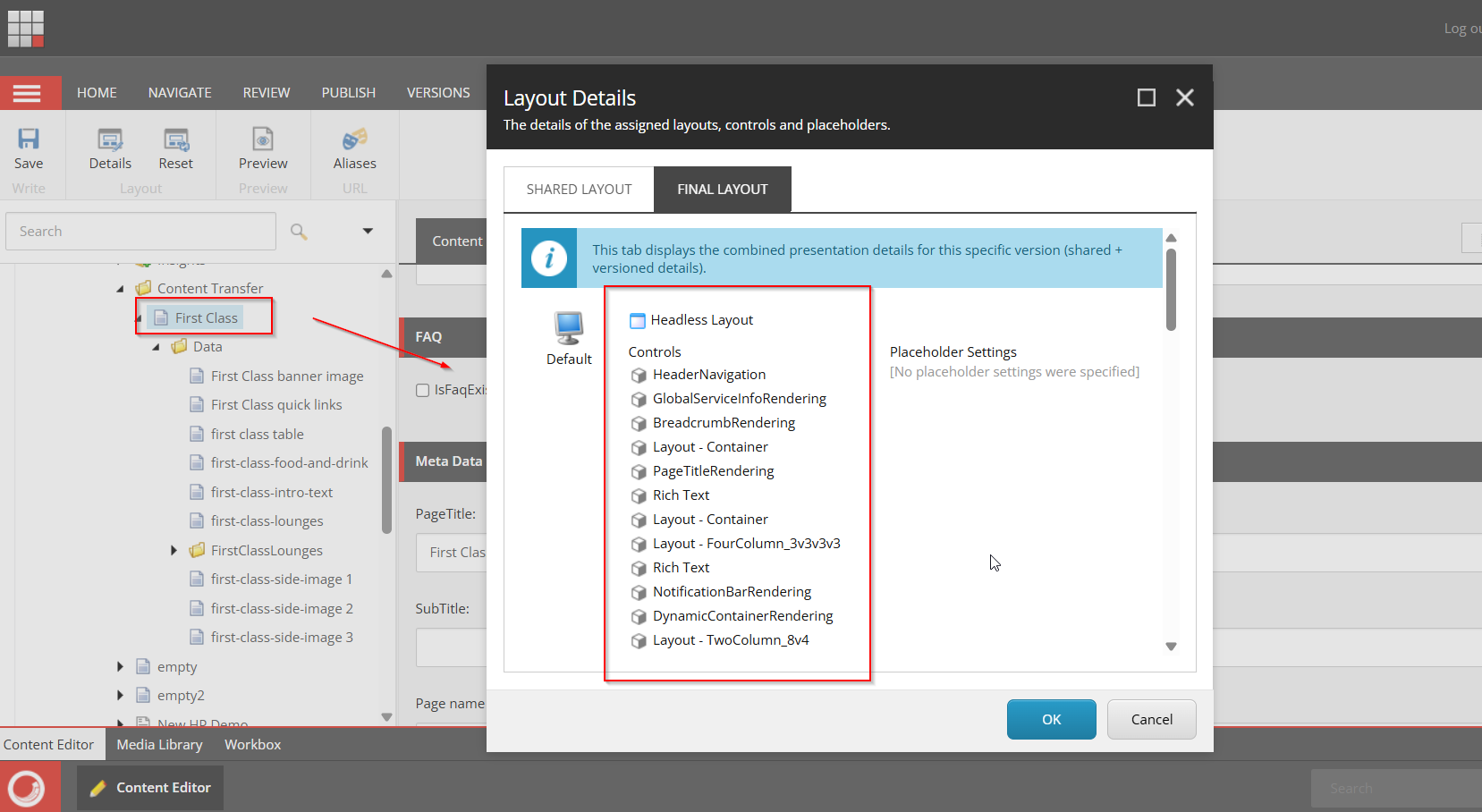
As you can see, this makes migrating content from Sitecore XP/XM much
easier with developers concentrating more on the headless code.