



Scrunch is a powerful platform that was recently acquired by Sitecore. It helps brands optimize their visibility and content in AI-powered search engines. Scrunch offers Agent Experience Platform (AXP) and tools to monitor AI search visibility. Agent Experience Platform (AXP) detects AI agents at the edge and serves them AI optimized content, all without disrupting the human experience. AI Search visibility tools help the brand understand how bots view their site and offer recommendations to fix, and Track bot traffic by AI model, page views, and bot type.
I've been spending a lot of time lately connecting Claude to the tools our teams already live in, and Scrunch is one of the more interesting ones I've wired up. If you haven't come across it yet, Scrunch is a brand intelligence platform built for the world we're actually in now, one where a growing share of discovery happens through AI answers, not search results pages. It tracks how brands show up across AI responses, how they're positioned against competitors, and where the gaps are between what a brand wants to be known for and what AI models are actually saying about it.
What makes Scrunch genuinely useful here is that it doesn't just sit behind a dashboard. It ships with an MCP server, which means an LLM like Claude can connect to it directly and pull that data into a live conversation instead of a static report. No exporting a CSV, no screenshotting a chart. You just ask, and Claude goes and gets it.
How to Connect It
Have you met Scrunchie yet? Scrunchie has clear setup docs for this at developers.scrunch.com/mcp/setup, but here's the short version for a Team or Enterprise Claude org, since that's the path most of us will actually use.
- Go to your Claude org settings and add a new connector. This lives under Organization settings, Connectors, in Libraries and Access. On Team and Enterprise plans, only owners can add it to the org level, but once it's added, it's available for the whole team to enable. Of course, you need to be a Claude Admin to set this up.
- Add the remote MCP server address and let Claude detect the settings. The address is https://app.scrunchai.com/api/mcp. Leave the OAuth Client ID and Secret fields blank. Scrunch supports Dynamic Client Registration, so Claude handles that registration on its own.
- Add it, then head to a chat and enable the connector. Once it's added at the org level, each person signs in individually with their own Scrunch account, so brand access and permissions follow the person, not whoever set it up. From there it's just a toggle in the chat composer, and Scrunch is live in that conversation.
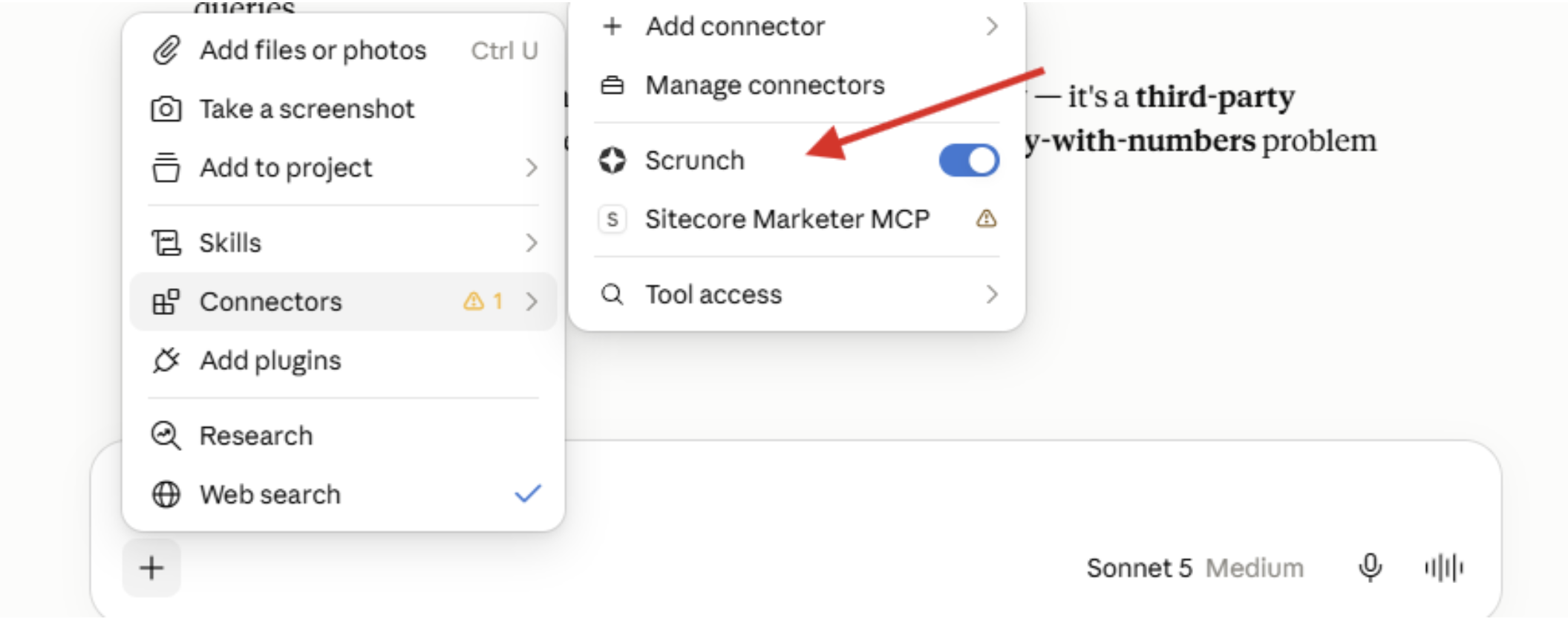
Two minutes, no API keys, no shared secrets to pass around.
What You Actually Get Once It's Connected
This is where it gets interesting. Once the connector is on, you're not just asking Claude to describe what Scrunch does, you're asking Claude to go run the analysis using Scrunch's own data and come back with an answer.
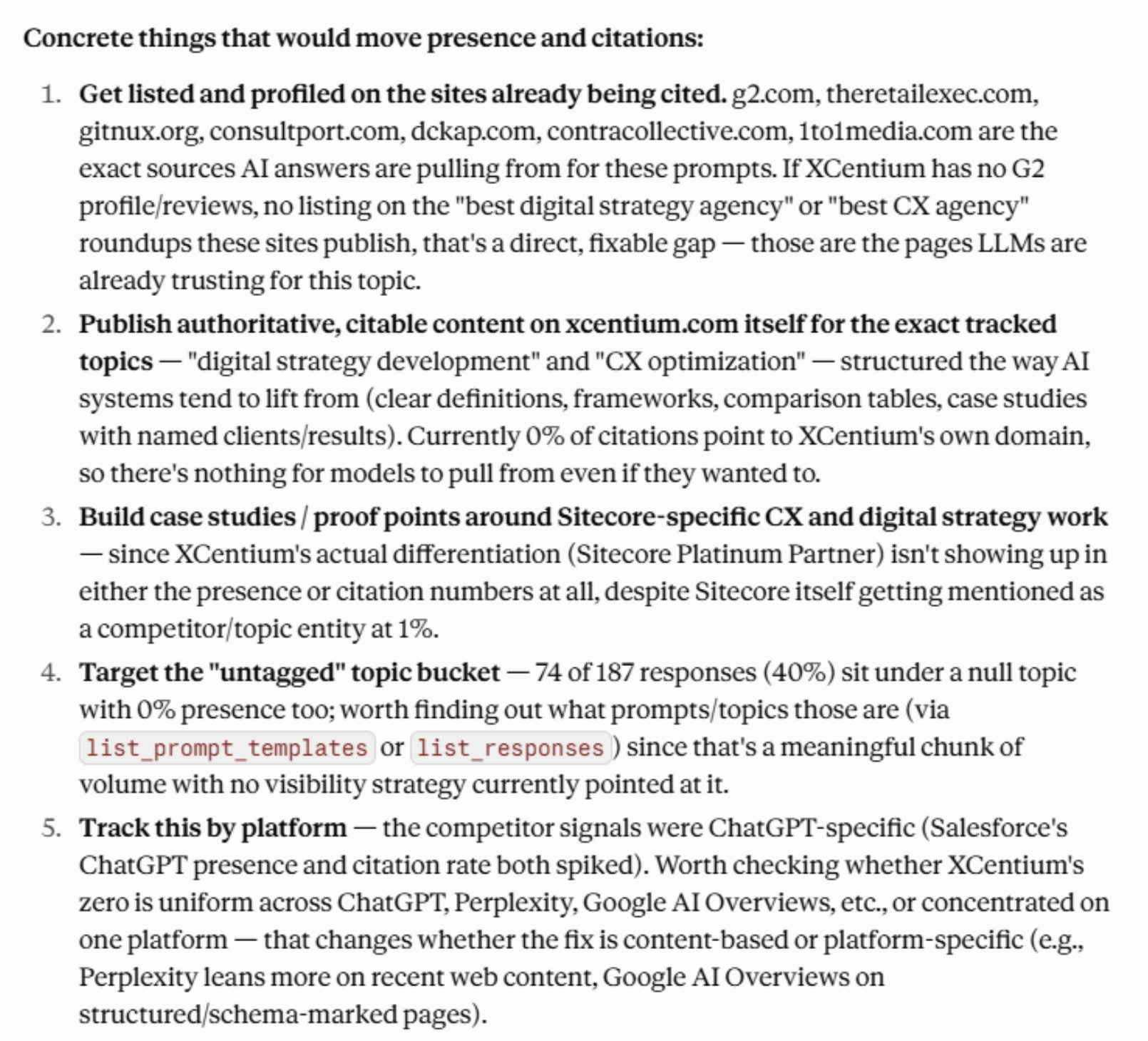
- Powerful analysis, directly from the chat interface. Ask about brand presence, sentiment, or share of voice across AI responses, and Claude pulls the actual metrics rather than a guess based on general knowledge.
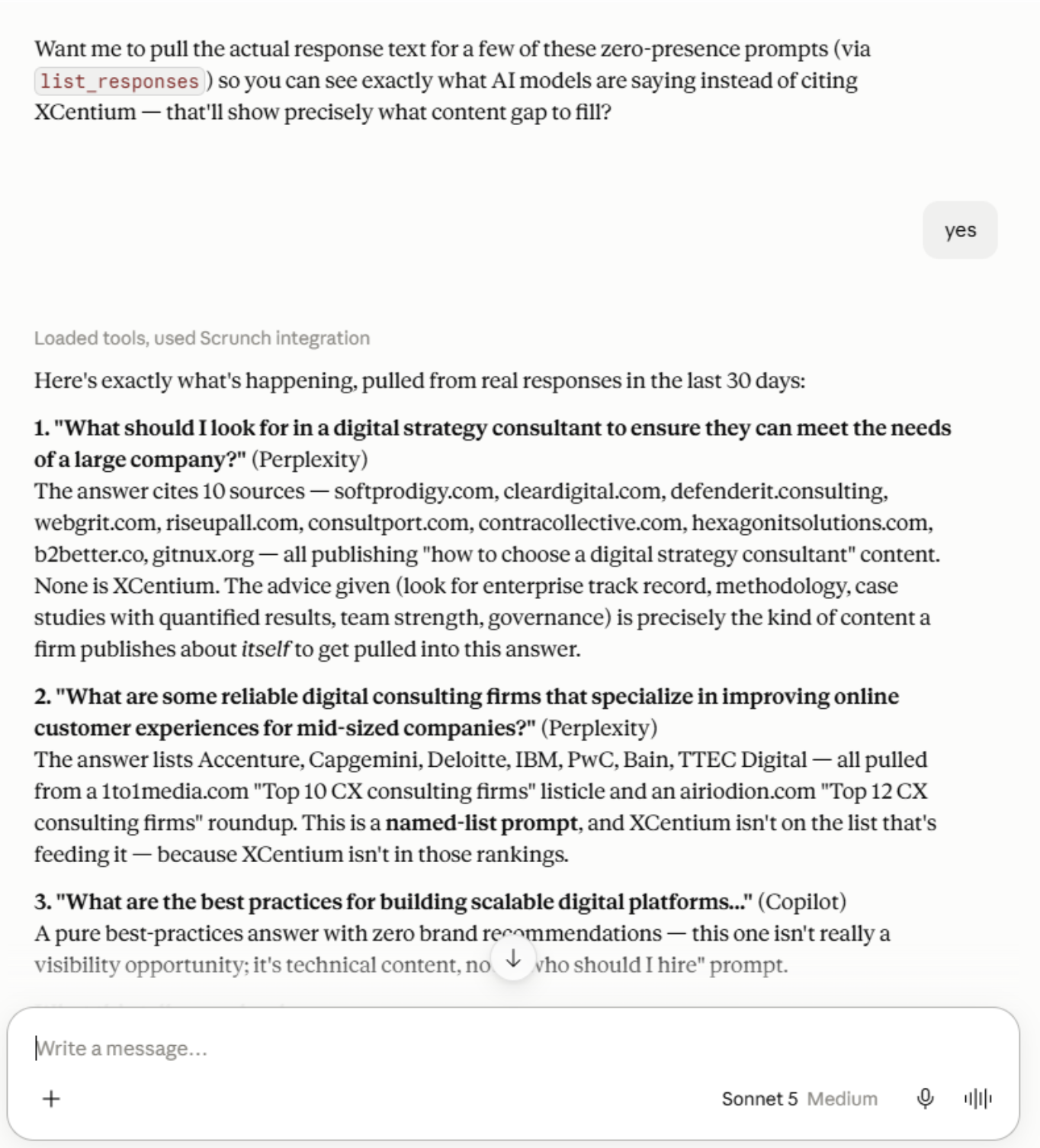
- Reasoning, not just retrieval. Claude doesn't just hand back numbers, it works through what they mean, why a metric moved, and what's likely driving it.
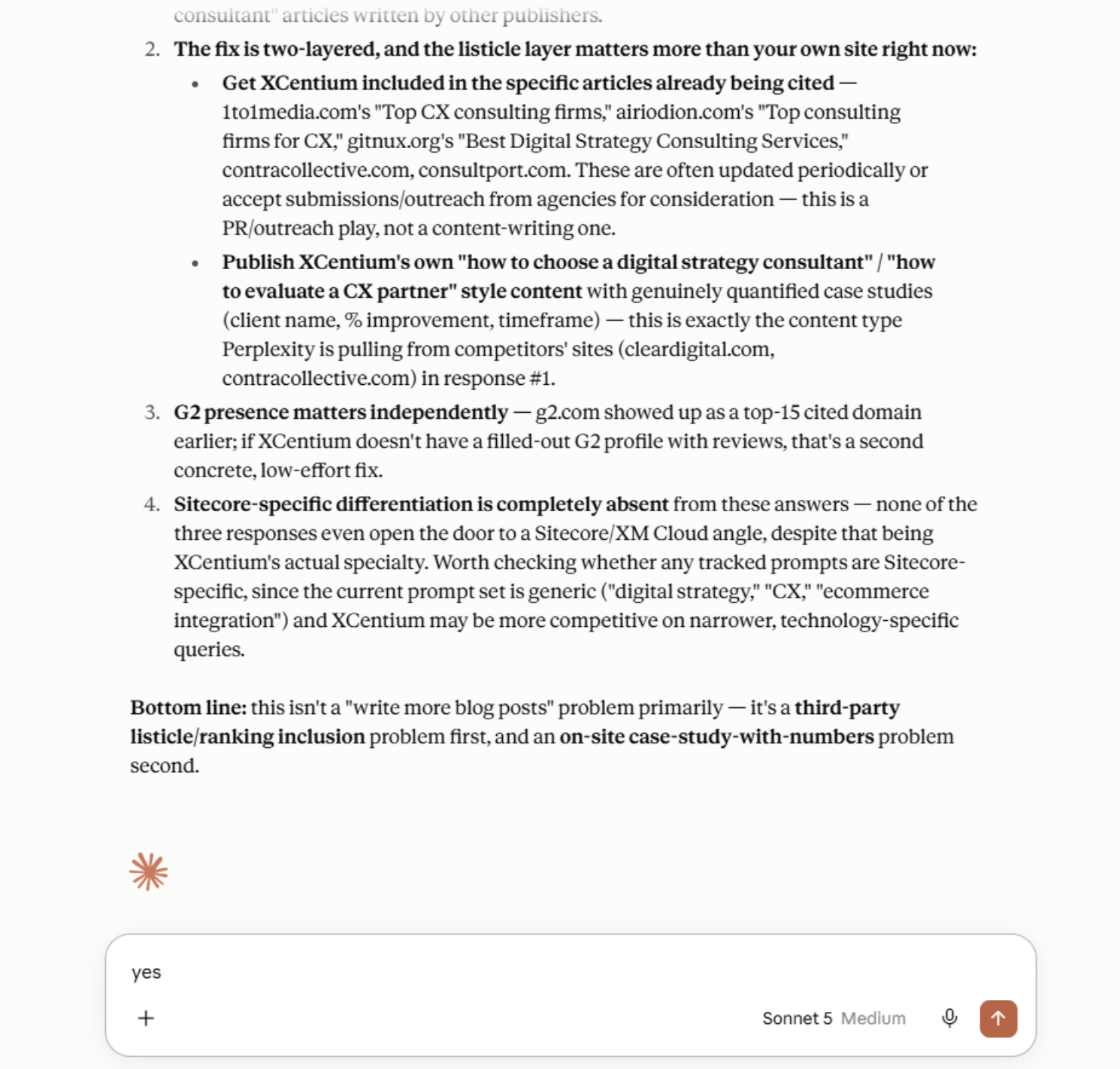
- Recommendations you can act on. Once the data and reasoning are on the table, the natural next step is what to actually do about it, and that's exactly where the conversation goes.
- Data insights that used to take a dashboard and a scheduled report. Now it's a question in the same chat you're already working in.
- A clear read on the gap. Between how a brand wants to be perceived and how AI systems are actually representing it, which is honestly the whole point of tracking this in the first place.
For example, here are some questions I asked Claude about our Brand and Claude used the connector to Scrunch to get data, analyze the results and offer reasoning and recommendations:
Why This Matters
None of this replaces the Scrunch platform itself, the dashboards and the deeper reporting are still there and still valuable. What changes is the distance between having a question and getting an answer. Instead of opening a separate tool, finding the right report, and translating it into something you can act on, you ask Claude directly, in the same place you're already planning, drafting, or reviewing work. The data comes to you instead of the other way around.
That's really the bigger shift MCP represents. It's not just Scrunch. It's every tool that ships an MCP server becoming something Claude can reach into on demand, which turns Claude from a place you go to think into a place where the actual work, backed by real data, gets done. If you're already using Scrunch, connecting it took me a few minutes and changed how often I actually use it.
While this article is geared towards Claude, the same concept works with other LLMs like ChatGPT and Gemini as well. The Scrunch MCP lets you query your brand monitoring data directly inside Claude, ChatGPT, Microsoft Copilot, and other AI assistants - no API key, no code, no dashboard switching. You authenticate once with your Scrunch account, and from then on your assistant can answer questions like “How has our presence trended this quarter?” or “Which competitors are winning on Perplexity?” using your live data.
If you need a complimentary Scrunch demo or just want to chat about Scrunch, feel free to reach out to me or contact me on LinkedIn. Also, check out the Scrunch offering here: Unlock the value of Scrunch in just four weeks